


 Dynamics 365 Business Central
15 min
Dynamics 365 Business Central
15 min
Introduction
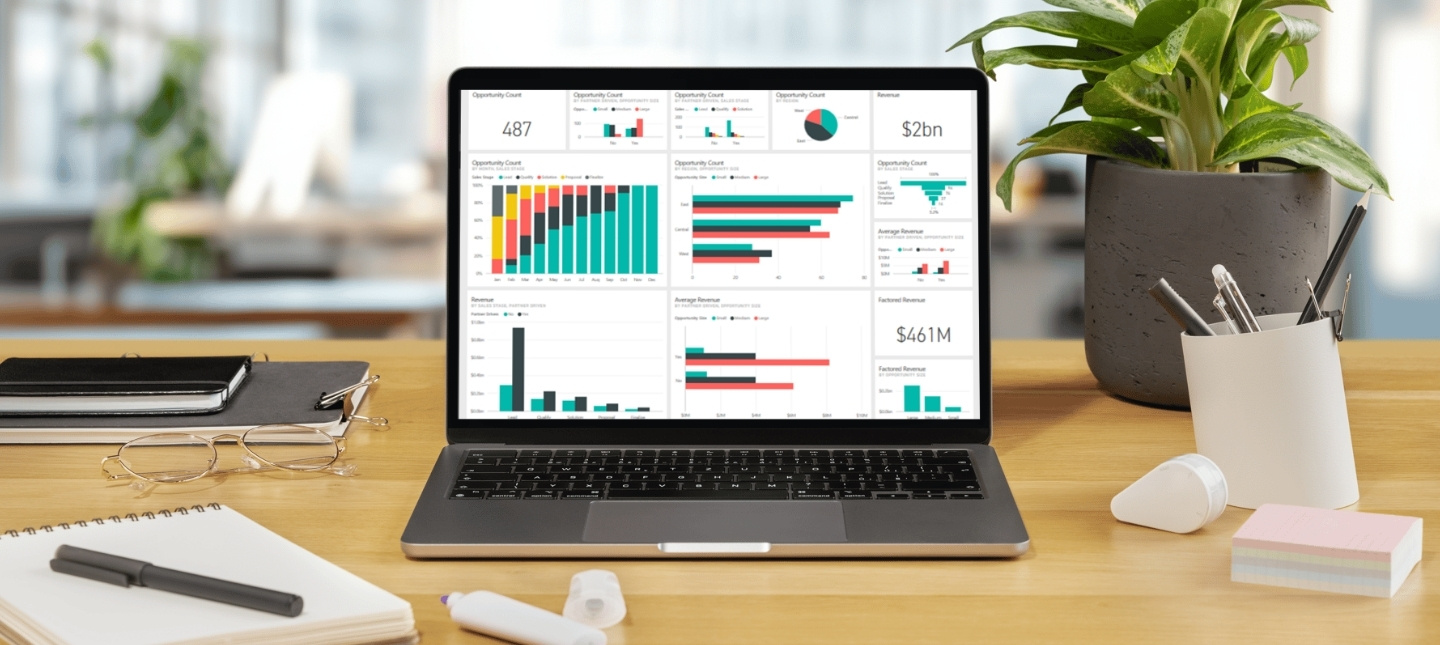
In today’s data-driven business environment, having real-time visibility into your Finance and Supply Chain Management (F&SCM) operations is critical. Microsoft Dynamics 365 F&SCM provides powerful ERP capabilities, but when combined with Power BI, it transforms into an even more powerful decision-making tool.
As a Microsoft Solutions Partner, Cambay Solutions helps businesses unlock the full potential of Dynamics 365 F&SCM with Power BI dashboards. In this guide, we’ll explore:
- Why Power BI is essential for Dynamics 365 F&SCM
- Step-by-step guide to building custom dashboards
- Best practices for actionable insights
- Real-world use cases

1. Why Power BI is a Game-Changer for Dynamics 365 F&SCM
The Power of Data Visualization
- Real-time analytics: Monitor financial performance, inventory levels, and supply chain KPIs in one place.
- AI-driven insights: Power BI’s AI detects trends, anomalies, and forecasting opportunities.
- Interactive reporting: Drill down into data with just a click.
Key Benefits
✅ 360° Financial Visibility – Track revenue, expenses, and profitability in real time.
✅ Supply Chain Optimization – Monitor stock levels, supplier performance, and logistics.
✅ Custom Role-Based Views – Finance, warehouse, and procurement teams see only relevant data.
✅ Seamless Integration – Direct connection to Dynamics 365 data with Dual Write and Azure Data Lake.
2. Step-by-Step Guide to Building Custom Dashboards
Step 1: Connect Power BI to Dynamics 365 F&SCM
- Option 1: Use Direct Query for live data connections.
- Option 2: Import data via Azure Data Lake Storage (ADLS) for large datasets.
- Option 3: Leverage Common Data Service (CDS) for pre-built data models.
Step 2: Identify Key Metrics to Track
| Department | Key Metrics |
| Finance | Revenue growth, cash flow, AP/AR aging |
| Supply Chain | Inventory turnover, stockouts, supplier lead times |
| Procurement | Purchase order accuracy, cost savings |
| Warehouse | Order fulfillment rate, picking accuracy |
Step 3: Design an Intuitive Dashboard
- Use Power BI’s drag-and-drop interface to create visualizations.
- Best Visuals for F&SCM:
- Financials: Trend charts, waterfall graphs
- Inventory: Heatmaps, stock-level gauges
- Logistics: Map-based shipment tracking
Step 4: Apply Advanced Features
- AI Anomaly Detection – Spot unusual transactions automatically.
- Q&A Natural Language – Ask, “Show me top-selling products last quarter” and get instant answers.
- Mobile Optimization – Access dashboards on phones/tablets.

Step 5: Share & Collaborate
- Publish to Power BI Service for team access.
- Set up automated alerts (e.g., “Notify CFO if cash flow drops below threshold”).
3. Best Practices for High-Impact Dashboards
✔ Keep It Simple
- Avoid clutter—focus on 3-5 critical KPIs per dashboard.
- Use consistent color schemes (e.g., red for alerts, green for targets met).
✔ Ensure Data Accuracy
- Schedule daily/weekly refreshes to keep data current.
- Use row-level security (RLS) to restrict sensitive data access.
✔ Make It Actionable
- Add drill-through capabilities (e.g., click on a region to see warehouse performance).
- Include comment boxes for team annotations.

4. Real-World Use Cases
Case Study 1: Retail Chain Reduces Stockouts by 30%
- Challenge: Manual inventory reports led to frequent stockouts.
- Solution: Power BI dashboard with real-time stock alerts and AI demand forecasting.
- Result: 30% fewer stockouts, 15% higher sales.
Case Study 2: Manufacturing Firm Cuts Costs by 22%
- Challenge: No visibility into procurement spend.
- Solution: Supplier performance dashboard tracking lead times and pricing trends.
- Result: 22% cost reduction via strategic supplier negotiations.
5. How Cambay Solutions Can Help
As a Microsoft Solutions Partner, we specialize in:
🔹 Tailored Power BI dashboards for Dynamics 365 F&SCM
🔹 AI & Machine Learning integration for predictive analytics
🔹 End-user training to maximize adoption
Microsoft Power BI Platform, empowers businesses to drive innovation and construct comprehensive end-to-end business solutions within one connected platform.
Ready to transform your data into decisions? Contact Cambay Solutions today for a free Power BI consultation. Innovate with one connected platform, connect Cambay Solutions – the most trusted Microsoft Solutions Partner Company.