Microsoft Solutions Partner · Azure FinOps

Azure Cost Optimization Services

Cambay finds and removes wasted Azure spend — rightsizing, reserved capacity, autoscaling and storage tiering — then puts a monthly FinOps review in place so the savings hold. Most clients cut year-one infrastructure costs significantly and keep saving 10–15% every year after that.

Certified Microsoft Solutions Partner FinOps-Led Cost Governance No Performance Trade-Off
Get a Free Cost Assessment
Up to 40%
Year-One Infrastructure Cost Reduction
10–15%
Ongoing Savings Every Year After
Free
Initial Azure Cost Assessment
Rightsizing
Match Compute to Actual Usage
Reserved Capacity
Savings Plans & Reserved Instances
Storage Tiering
Right Tier for Every Data Set
Cleanup
Orphaned & Idle Resources Removed

What Is Azure Cost Optimization?

Azure cost optimization is the ongoing practice of matching what you pay Microsoft Azure to what your workloads actually need — rightsizing oversized virtual machines, committing to reserved capacity where usage is predictable, automating scale-down during off-peak hours, and removing storage and resources nobody is using anymore. Done once, it's a cleanup project. Done as a monthly discipline with proper FinOps governance, it's a permanent reduction in your cloud run rate.

40%
Typical Year-One Infrastructure Cost Reduction
10–15%
Ongoing Year-Over-Year Savings With FinOps Governance
30%+
Of Cloud Spend Is Typically Wasted, Per Industry Benchmarks
30 Days
To First Cost Assessment Findings
Key Capabilities

Azure Cost Optimization Levers We Use

Five proven levers, applied in order of impact — most engagements see the majority of savings from the first two.

Rightsizing

We analyze actual CPU, memory and network utilization across every VM and database, then downsize or resize instances that are running far above what workloads need.

Reserved Instances & Savings Plans

For predictable, always-on workloads, we commit the right mix of Azure Reserved Instances and Savings Plans — locking in discounts of up to 72% over pay-as-you-go pricing.

Autoscaling

Autoscale rules and scheduled shutdowns match compute capacity to real demand — scaling down dev/test and low-traffic environments automatically during nights, weekends and off-peak hours.

Storage Tiering

Data gets moved to the storage tier — Hot, Cool or Archive — that matches how often it's actually accessed, instead of leaving everything on premium storage by default.

Orphaned Resource Cleanup

Unattached disks, idle public IPs, forgotten snapshots and decommissioned-but-still-billing resources are identified and removed — often the fastest win in any assessment.

Governance & Tagging

Cost-allocation tagging and budget alerts by department or project give your finance team visibility before spend gets out of hand — not after the invoice arrives.

Cambay's Approach

Monthly Cost Reviews & FinOps Governance

A one-time cleanup saves money for a quarter. Ongoing FinOps governance is what keeps Azure spend under control permanently — Cambay runs this as a standing monthly service, not a one-off project.

STEP 01

Baseline Cost Assessment

A full audit of your current Azure spend by resource group, subscription and service — identifying waste, unused reservations and rightsizing opportunities.

STEP 02

Optimization Sprint

We implement rightsizing, reserved capacity, autoscaling and cleanup fixes in a focused sprint — most of the year-one savings land here.

STEP 03

Monthly FinOps Review

Every month, we review Azure Cost Management data against your budget, flag new anomalies and re-tune reservations as usage patterns shift.

STEP 04

Quarterly Business Review

A quarterly report to your finance and IT leadership showing cumulative savings, spend trends and recommendations for the next quarter.
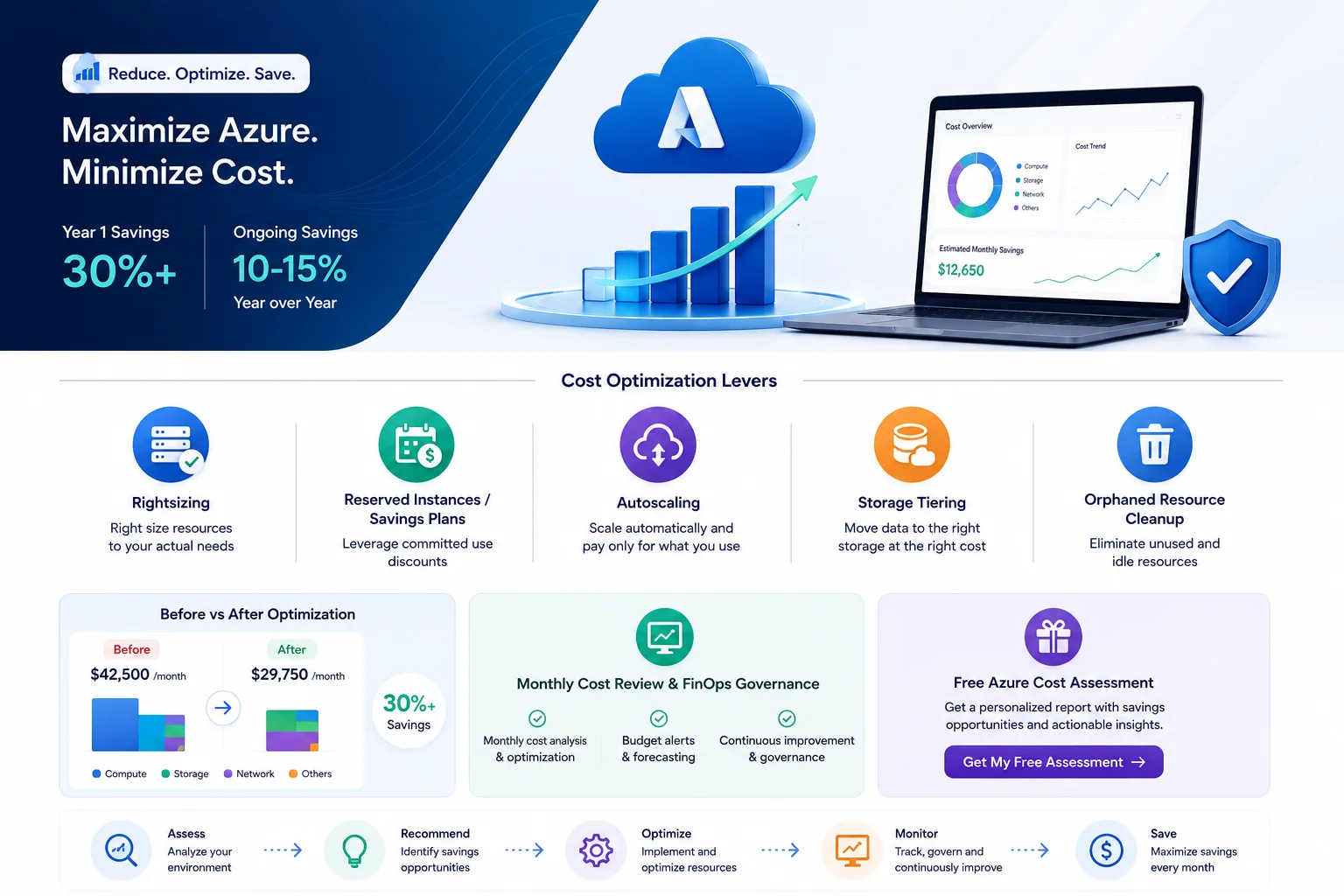
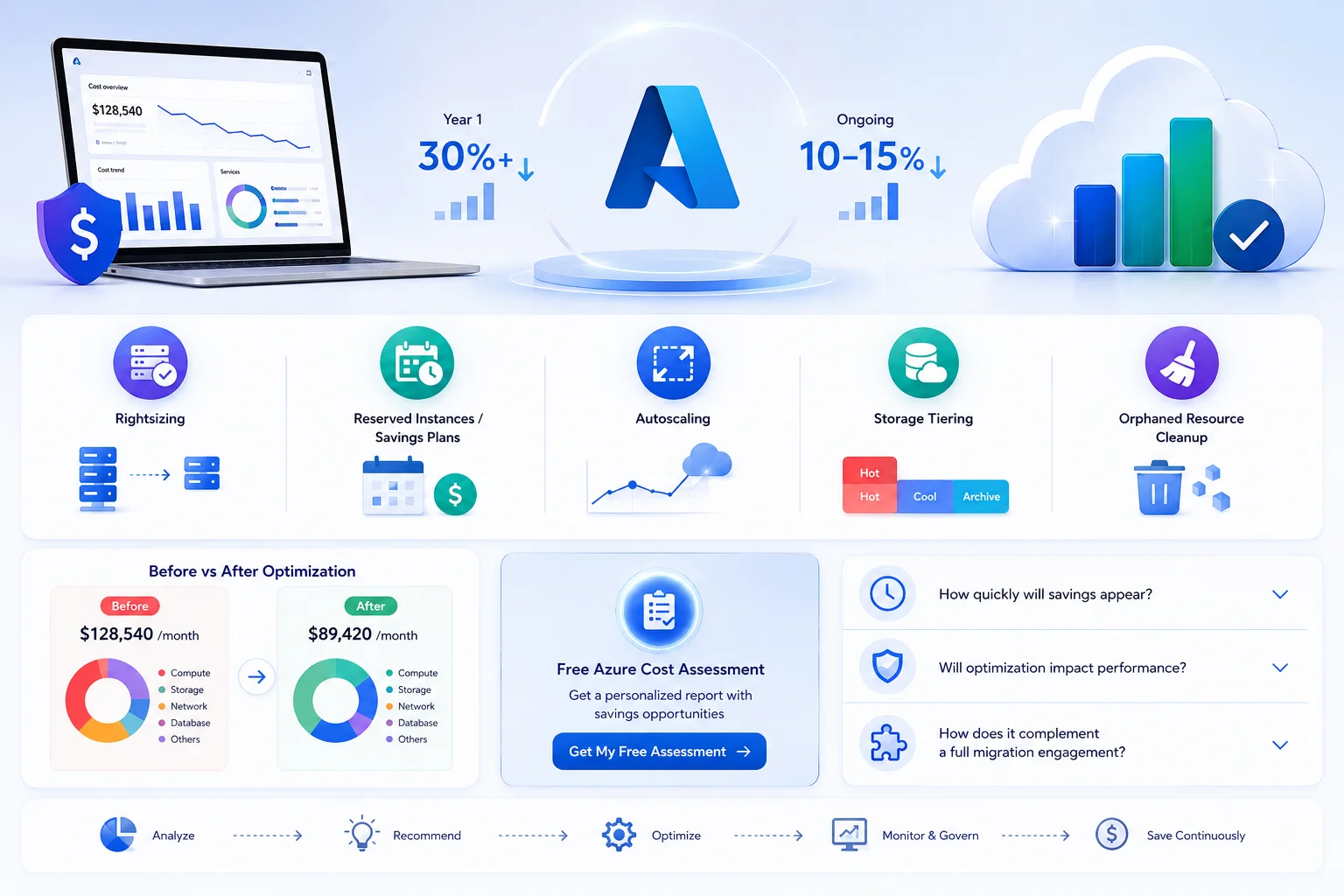
Azure FinOps monthly cost review dashboard
Free Assessment

See What a Free Azure Cost Assessment Finds

A sample before/after cost breakdown from a real Cambay engagement — anonymized, but the pattern is typical of what we find in most Azure environments we review.

Sample Monthly Azure Cost Breakdown
Compute (VMs)
$18,400 / mo
$11,200 / mo
Storage
$6,900 / mo
$4,100 / mo
Reserved Capacity Coverage
12%
78%
Orphaned / Idle Resources
$2,300 / mo
$0 / mo
Get Your Free Cost Assessment

No commitment required. Most assessments take 5–10 business days and are delivered as a report you keep either way.

Business Value

Business Outcomes: What You Gain

40%

Year-One Cost Reduction

Rightsizing, reserved capacity and cleanup typically deliver the bulk of savings within the first 90 days.

10–15%

Ongoing Annual Savings

Monthly FinOps governance keeps spend from creeping back up as usage and services change.

0%

Performance Impact

Every rightsizing and autoscaling change is validated against real usage data first — savings never come at the cost of performance.

Full Spend Visibility

100%

Cost-allocation tagging gives finance and department leaders a clear view of who's spending what, every month.

Client Success

Azure Cost Optimization Results in the Real World

Manufacturing

Cutting Azure Spend 42% for a Mid-Size Manufacturer

A manufacturing client came to Cambay after an unexpected 30% jump in their monthly Azure bill. A free cost assessment found oversized VMs across three environments, 12% reserved-capacity coverage, and thousands of dollars in orphaned disks and idle public IPs. A four-week optimization sprint plus a new monthly FinOps review cut total spend by 42% and has kept it there for over a year.

42%

Total Cost Reduction

4wks

Optimization Sprint

12mo+

Savings Sustained
Read Full Case Study
Manufacturing client Azure cost optimization case study
FAQ

Frequently Asked Questions About Azure Cost Optimization

Everything mid-market and enterprise buyers ask before starting an Azure cost optimization engagement with Cambay.

Ask an Expert

Orphaned resource cleanup and reserved-capacity commitments typically show up on your very next Azure invoice. Rightsizing and autoscaling changes are usually rolled out over a 2–4 week optimization sprint, with most clients seeing the majority of year-one savings — often up to 40% — within the first 60 to 90 days.

No — every rightsizing and autoscaling change is validated against actual utilization data before it's made, and changes are rolled out gradually with monitoring in place. The goal is to remove capacity nobody is using, not to squeeze workloads that need the resources they have.

If you're migrating to Azure, cost optimization is best built into the landing zone design from day one — right-sizing before you ever deploy avoids paying for waste you never needed. If you're already on Azure, optimization runs independently of any migration work and can start with a cost assessment in as little as a week.

Yes. Cambay's initial Azure cost assessment carries no cost and no obligation. You receive a detailed breakdown of where your spend is going and specific, prioritized recommendations — whether or not you move forward with Cambay to implement them.

No. Monthly FinOps governance is offered on a month-to-month basis alongside Cambay's broader managed services. Many clients start with a one-time optimization sprint and add ongoing reviews once they see the savings hold.

Also Explore

Related Microsoft Solutions

Cloud Transformation

Cost optimization is one pillar of a broader Azure cloud transformation strategy — see how Cambay plans, migrates and modernizes full environments.

Explore

Managed Services

Monthly FinOps reviews run alongside Cambay's broader managed services — monitoring, patching and support for your full Microsoft environment.

Explore

Microsoft Copilot Consulting

Already optimizing Azure spend? See how Microsoft Copilot can cut labor costs the same way we cut infrastructure costs.

Explore
Ready to Start?

Ready to Build Something That Actually Works?

Start the conversation today and unlock measurable growth with Microsoft technology.

🍪 We value your privacy

We use cookies to enhance your browsing experience, serve personalised ads or content, and analyse our traffic. By clicking "Accept All", you consent to our use of cookies.