


 Power Platform
27 min
Power Platform
27 min
Introduction
In today’s fast-evolving digital workplace, businesses need flexible, secure, and cost-effective solutions to support remote and hybrid work environments. Azure Virtual Desktop (AVD) – Microsoft’s premier cloud-based virtual desktop infrastructure (VDI), empowers organizations to deliver seamless, high-performance desktop experiences from anywhere, on any device.
As a Microsoft Solutions Partner, Cambay Solutions helps businesses implement and optimize Azure Virtual Desktop to enhance productivity, strengthen security, and reduce IT overhead. This article explores the key benefits, features, and implementation strategies of AVD, demonstrating why it’s the ideal solution for modern enterprises.

What is Azure Virtual Desktop?
Azure Virtual Desktop (AVD) is a cloud-based desktop and app virtualization service hosted on Microsoft Azure. It enables businesses to deploy and manage virtualized Windows desktops and applications securely from the cloud.
Key Features of Azure Virtual Desktop:
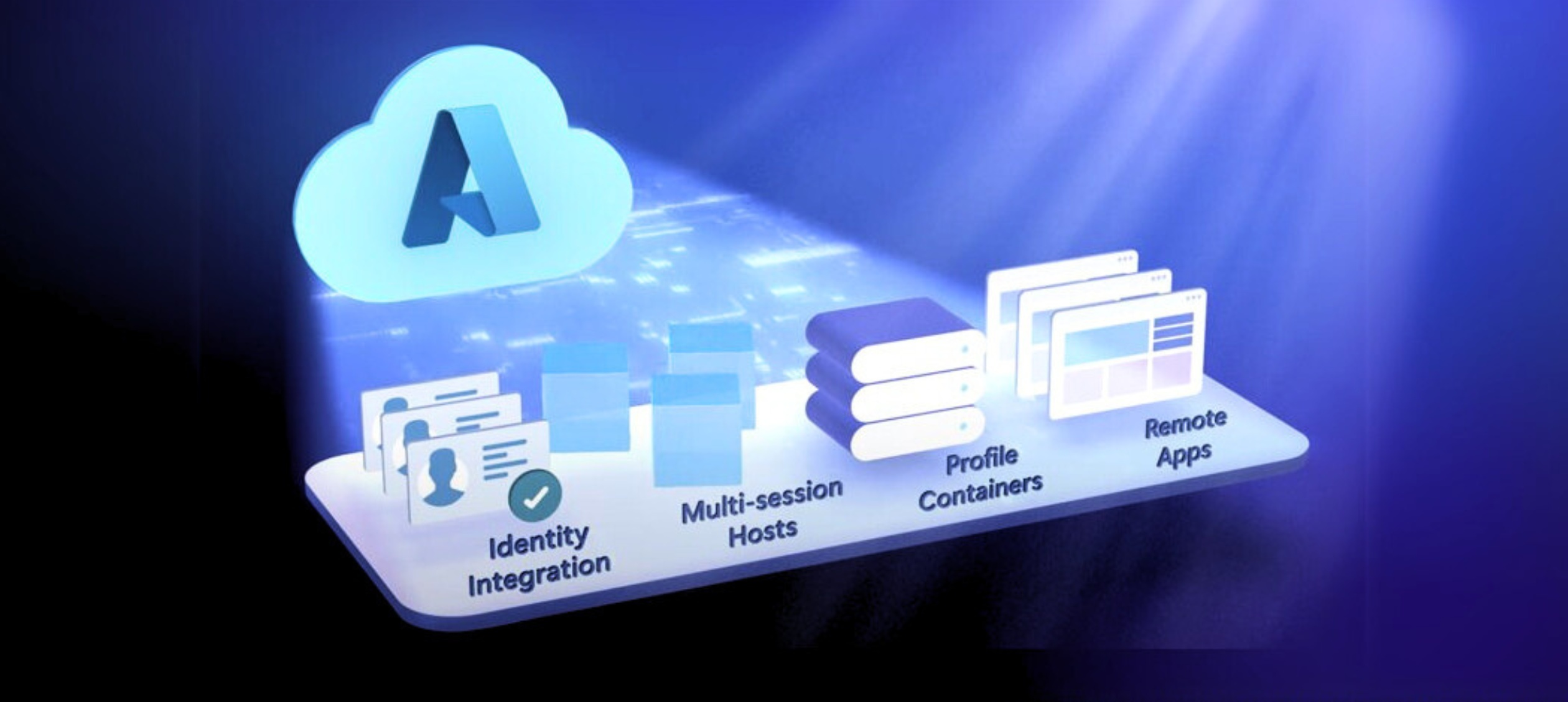
✅ Multi-session Windows 10/11 – Run multiple user sessions on a single VM, reducing costs.
✅ Cross-device accessibility – Access virtual desktops from Windows, Mac, iOS, Android, or web browsers.
✅ Seamless Office 365 integration – Optimized for Microsoft 365 apps (Word, Excel, Teams).
✅ Enhanced security – Built on Azure’s enterprise-grade security framework with multi-factor authentication (MFA) and conditional access.
✅ Simplified management – Centralized control via Microsoft Intune and Azure Portal.
✅ Cost efficiency – Pay-as-you-go model with flexible scaling.
Why Businesses Need Azure Virtual Desktop
Supports Hybrid & Remote Workforces
With AVD, employees can securely access their full desktop environment from any location, using any device. This eliminates the need for expensive on-premise hardware while ensuring consistent performance.
Enhanced Security & Compliance
- Data remains in Azure (not on local devices), reducing breach risks.
- Zero Trust security model with Azure Active Directory (AD) integration.
- Compliance-ready (supports GDPR, HIPAA, ISO 27001).
Cost Savings & Scalability
- Eliminates hardware costs (no need for high-end PCs).
- Multi-session Windows 10/11 reduces licensing and VM costs.
- Auto-scaling adjusts resources based on demand.
Optimized for Microsoft 365 & Legacy Apps
- Delivers high-performance virtualized Office 365 apps.
- Supports legacy applications without costly upgrades.

Key Benefits of Azure Virtual Desktop
✅ Best User Experience
- High-definition (HD) graphics and smooth performance even on low-end devices.
- Persistent or pooled desktops for personalized or shared workspaces.
✅ Simplified IT Management
- Single-pane management via Microsoft Endpoint Manager.
- Automated updates & patches reduce IT workload.
✅ Cloud Migration Made Easy
- Migrate from on-premise RDS (Remote Desktop Services) or Citrix seamlessly.
- Lift-and-shift existing apps without redevelopment.
✅ Superior Economics
- Reduces operational costs by up to 50% compared to traditional VDI.
- Flexible subscription models (pay only for what you use).
✅ Dev/Test Environments
- Quickly spin up virtualized dev/test environments for .NET, SQL, and other apps.
- Isolated sandboxing prevents disruptions to production.
How Cambay Solutions Implements Azure Virtual Desktop
As a Microsoft Solutions Partner Company, Cambay Solutions provides end-to-end AVD deployment, migration, and management services, including:
Assessment & Planning
- Evaluate current infrastructure and identify migration readiness.
- Define user profiles, storage, and networking requirements.
Deployment & Configuration
- Set up host pools, session hosts, and FSLogix profiles.
- Configure security policies, backup, and disaster recovery.
Optimization & Support
- Performance tuning for latency-sensitive apps.
- 24/7 monitoring & troubleshooting.
Real-World Use Cases of Azure Virtual Desktop
Case Study 1: Financial Services Firm
Challenge: Needed secure remote access for employees handling sensitive data.
Solution: Deployed AVD with Azure AD Conditional Access.
Result:
✔ 40% reduction in security incidents
✔ Seamless compliance with FINRA regulations
Case Study 2: Healthcare Provider
Challenge: Legacy EHR apps required high-performance virtual desktops.
Solution: Migrated to AVD with GPU-optimized VMs.
Result:
✔ 30% faster app load times
✔ HIPAA-compliant remote access
Future of Azure Virtual Desktop
Microsoft continues to enhance AVD with:
🔸 AI-driven performance optimization
🔸 Enhanced Azure Virtual Desktop for macOS
🔸 Tighter Microsoft Teams & Power BI integration
Conclusion: Is Azure Virtual Desktop Right for You?
Azure Virtual Desktop is a game-changer for businesses seeking secure, scalable, and cost-efficient virtual workspaces. Whether you’re supporting remote teams, migrating from legacy VDI, or optimizing app delivery, AVD delivers unmatched flexibility.
Ready to transform your workspace? Contact Cambay Solutions for a free Azure Virtual Desktop consultation!