 Microsoft Security and AI
20 min
Microsoft Security and AI
20 min
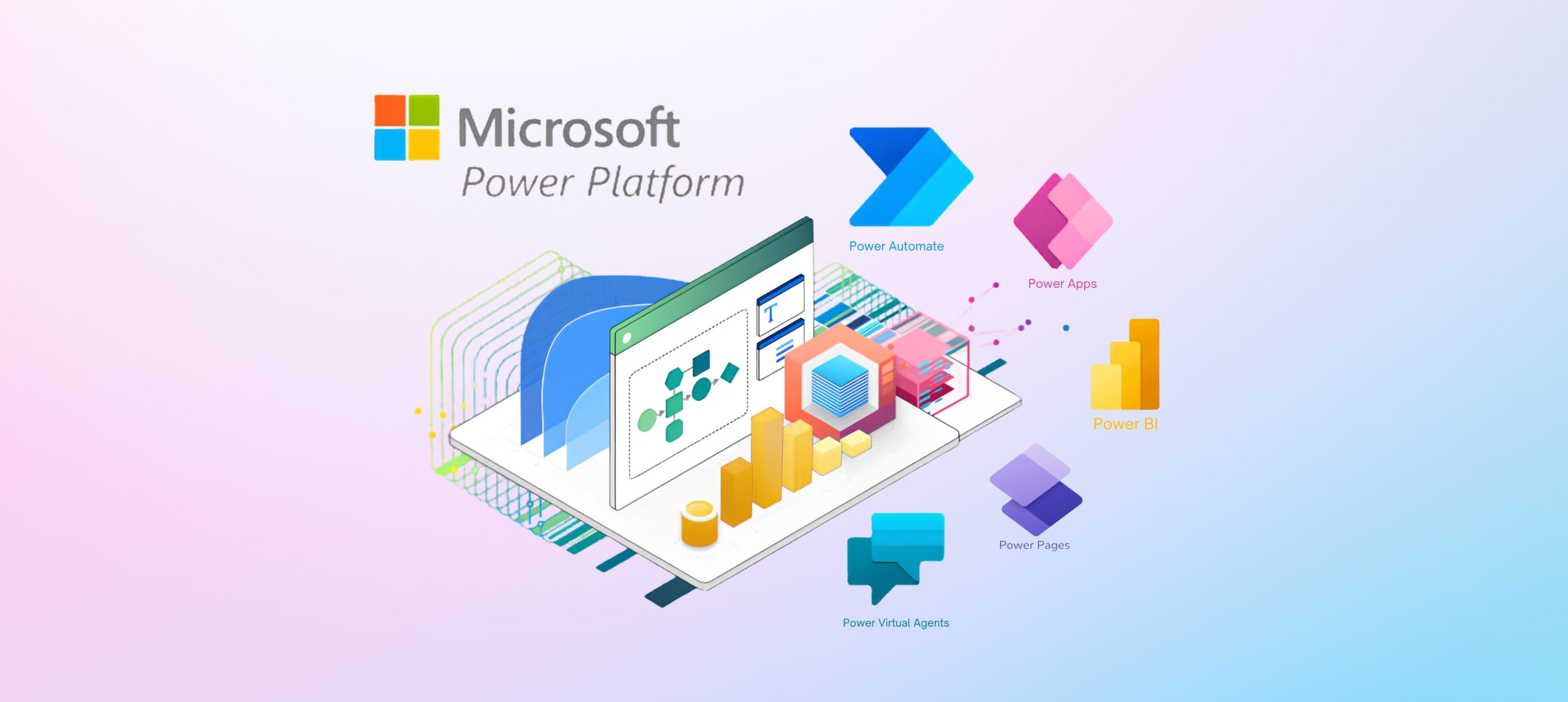
Microsoft’s September 2026 Power Platform update introduces changes across Power Apps, model-driven apps, Power Automate, and AI-assisted application development.
Microsoft’s monthly roundup also highlights new and updated technical guidance for Power Pages, Microsoft Dataverse, application lifecycle management, governance, integrations, and Power Platform administration.
For enterprise teams, the significance of this release is not simply the number of announcements. The more important question is how these changes affect application design, automation ownership, development practices, user experience, source control, security, and governance across an existing Microsoft environment.
Microsoft’s September roundup combines two types of information:
- New or recently available product capabilities
- Newly published or updated Microsoft Learn documentation
This distinction matters. Some items represent capabilities that Microsoft has made generally available or placed in public preview. Others provide updated instructions, architecture guidance, security recommendations, or governance practices for capabilities that may already exist.
This article distinguishes newly announced product capabilities from documentation and learning updates. It also outlines the areas that IT leaders, Power Platform administrators, architects, developers, and application owners should evaluate.
Cambay Solutions’ Power Platform practice spans Power Apps, Power Automate, Power BI, Copilot Studio, Microsoft Dataverse, integration, governance, and application lifecycle management. Cambay’s delivery approach includes application development, solution integration, ALM pipelines, data loss prevention policies, naming conventions, environment strategy, and Center of Excellence enablement.
For organizations already using Microsoft Power Platform, the September update provides a practical opportunity to evaluate how applications are built, automated, connected, deployed, secured, supported, and governed across the enterprise.
Read the complete Microsoft Power Platform September 2026 feature update for Microsoft’s full list of product, documentation, community, and learning announcements.
Executive Summary: Key Areas for Enterprise Teams
The Microsoft Power Platform September 2026 update highlights several areas that deserve enterprise attention.
Power Apps Design and Modernization
New Fluent 2-based screen templates and improvements to modern controls can support more consistent application experiences. Organizations should evaluate these capabilities within their broader application design, accessibility, testing, and governance standards.
AI-Assisted Application Development
Agent-assisted capabilities are expanding across canvas apps, model-driven apps, and generative pages. These tools may accelerate development, but they also increase the importance of architecture reviews, security validation, application lifecycle management, and human oversight.
Model-Driven App User Experience
The refreshed header and navigation experience is generally available, while display density is in public preview. Application owners should evaluate these changes against real business workflows rather than assessing visual appearance alone.
Power Automate Usability and Ownership
Microsoft has introduced usability improvements for finding and creating flows. Microsoft has also published updated guidance for service principal-owned flows, licensing, and enterprise automation practices.
Governance and Environment Management
Environment routing, managed environments, data loss prevention policies, access controls, and administrative visibility remain central to scaling Power Platform responsibly.
Application Lifecycle Management
Dataverse Git integration provides additional options for connecting Power Platform development with established source-control practices.
Power Pages Security
Updated Microsoft guidance addresses Web Application Firewall challenges, CAPTCHA, SSL certificate rotation, exemptions, and broader security practices for external-facing applications.
Microsoft Ecosystem Integration
New architecture guidance highlights integration across Dataverse, Dynamics 365, Microsoft 365, Azure, enterprise data platforms, and external systems.
The objective should not be to adopt every new feature. Organizations should determine which updates address a current business, security, development, operational, or governance requirement.
Power Apps: More Consistent Canvas Application Experiences
Microsoft’s September update includes six additional ready-to-use canvas app screen templates based on Fluent 2 patterns. These templates complement three recently released Fluent templates and provide responsive layouts, editable controls, and practical starting points for common application scenarios.
Microsoft also describes these templates as replacements for earlier out-of-box templates built on classic controls.
For organizations managing multiple Power Apps, standardized templates can help establish a more consistent development starting point. Instead of recreating common screen structures for every application, makers can begin with responsive patterns and adapt them to specific business requirements.
Templates alone do not create a complete enterprise design system. Organizations should still define application standards covering areas such as:
- Branding
- Navigation patterns
- Accessibility
- Responsive behavior
- Reusable components
- Data-entry conventions
- Error handling
- User notifications
- Testing and release management
However, the Fluent-based templates can provide a practical foundation for teams seeking to reduce repetitive design work and improve consistency across an application portfolio.
Bulk Updates for Modern Controls
Microsoft has introduced bulk updating for eligible modern controls. Makers can update eligible controls on the current screen rather than handling each control individually.
Microsoft advises teams to review affected formulas after updating because property names, enum values, and control behaviors may change.
Microsoft Learn identifies changes affecting modern controls, including property renames, typed enum values, styling updates, and behavioral differences. Teams should review the applicable control update guidance, correct affected formulas, apply the update in an appropriate environment, and test the application before production deployment.
Testing is especially important for applications that:
- Contain complex Power Fx formulas
- Use reusable components
- Reference control properties across multiple screens
- Support mobile layouts
- Include accessibility customizations
- Integrate with Power Automate or external data sources
- Support business-critical workflows
Enterprise teams should avoid updating controls across production applications without first validating the changes in a development or test environment.
Microsoft provides additional details in its guidance on recent modern-control updates in canvas apps.
Modern Control Library Enhancements
The September update also expands the modern control library.
The Progress Bar supports determinate and indeterminate experiences, Power Fx-driven values, semantic colors, theme-aware styling, and accessible progress semantics. Modern Avatar and Spinner controls are also available.
The practical question is not whether every existing application needs every new control. Application owners should instead evaluate whether modern controls can improve:
- Design consistency
- Accessibility
- Mobile usability
- Maintainability
- Theme alignment
- User feedback
- Long-term supportability
For enterprise application portfolios, modernization should be guided by business value, application criticality, technical debt, user needs, and the cost of testing rather than by feature availability alone.
AI-Assisted Development: Faster Building Requires Stronger Governance
One of the most significant areas in Microsoft’s September update is the expansion of AI-assisted application development.
Microsoft announced the general availability of the canvas authoring agent plugin. The plugin enables makers and developers to create, inspect, and update canvas apps through agent-assisted development workflows while keeping makers involved in the process.
Microsoft also highlighted additional capabilities across model-driven application development, including:
- A generally available app-builder skill for creating and editing model-driven applications from natural-language requirements
- Support for embedding a generative page directly inside a model-driven app form
- Public preview support for generative pages using data through Power Platform connectors
The model-driven app-building capability can work with application elements such as tables, columns, relationships, sample data, forms, views, charts, sitemaps, validation rules, security roles, business process flows, and business rules.
Microsoft states that the application plan is presented for review before application artifacts are created.
For enterprise teams, these capabilities may help accelerate prototyping and reduce some manual development effort. They do not remove the need for architecture, security, human review, testing, governance, documentation, and controlled deployment.
Organizations evaluating AI-assisted development should consider:
- Which users are permitted to use AI-assisted development tools
- Which environments can be used for experimentation
- How generated components are reviewed
- How data access is validated
- How security roles are assessed
- How application changes are documented
- How solutions move through development, testing, and production
- How AI-generated artifacts are incorporated into source control
- Who is accountable for final application quality
- How generated solutions are monitored after deployment
AI-assisted development can make it easier to move from an idea to an initial application structure. Enterprise readiness still depends on the operating model surrounding that application.
This is where environment strategy, data loss prevention policies, ALM, security reviews, naming conventions, solution standards, and Center of Excellence practices become increasingly important.
Model-Driven Apps: A More Flexible User Experience
Microsoft’s refreshed header and navigation experience for model-driven apps reaches general availability with version 2609.1. The display density capability enters public preview.
The refreshed experience includes:
- A modern application header
- A streamlined sitemap
- Adjusted spacing and margins
- More working space on forms
- Updated command bar behavior
- A condensed sticky header that keeps the current record identifiable
The command bar is the primary element that remains fixed at the top of the page. The summary area and form header scroll with the form. When the form header moves out of view, a condensed sticky header appears below the command bar.
Microsoft states that the header and navigation refresh remains opt-in for existing applications. This is distinct from the earlier New Look modernization wave, which Microsoft identifies as mandatory beginning with the 2026 Wave 1 release.
Display Density
Display density provides three options:
- Comfortable
- Cozy
- Compact
Administrators can establish the default setting or turn the feature off, while users can adjust their density through personal settings.
Microsoft states that display density requires the header and navigation refresh and is enabled by default when the refreshed experience is turned on.
For organizations using Dynamics 365 and Dataverse-based applications, these options can provide additional flexibility in how information is presented. Users working with data-intensive processes may prefer a more compact layout, while other user groups may benefit from additional spacing.
Application owners should test the experience against actual business processes rather than evaluating appearance alone. Testing should consider:
- Frequently used forms
- Long or data-intensive records
- Business process flows
- Custom pages
- Embedded components
- Command visibility
- Different screen resolutions
- Accessibility requirements
- Mobile experiences
- Existing branding and theming
- User training and adoption needs
The September release provides a useful checkpoint for reviewing model-driven applications and determining whether the refreshed experience supports established user workflows.
Power Automate: Improved Discovery and More Durable Automation Ownership
Microsoft’s September product update introduces quick-start cards on the Power Automate home page. These cards provide direct entry points for common automation scenarios and are intended to help users begin creating flows without first navigating menus or searching the template gallery.
Microsoft also announced server-side search for My Flows.
Rather than filtering only the flows already loaded in the browser, Power Automate can send the search request to the service and return matches from the complete list of available flows in the current environment. This can be particularly useful for users who manage large numbers of flows.
For enterprise teams, usability improvements such as these can help makers find and begin working with automations more efficiently. Usability, however, is only one part of an enterprise automation strategy.
Service Principal-Owned Flows
The September roundup also includes updated guidance related to service principal-owned flows and assigning user licensing to flows owned by a service principal.
A service principal is a non-human security identity that represents an application or service. Power Automate supports service principal application users owning and running flows, which can provide greater stability for mission-critical, departmental, or enterprise-wide automations.
This approach can be relevant when an organization needs to separate automation ownership from the lifecycle of an individual employee account. It can help address scenarios in which the original owner leaves the organization, changes roles, loses a required license, or is no longer responsible for supporting the automation.
Service principal ownership can also support deployment models in which DevOps pipelines move flows across development, test, and production environments.
A service principal application user cannot be assigned a user license directly. Premium service-principal-owned flows must follow an applicable licensing path, which may include:
- A Power Automate Process or per-flow license assigned to the flow
- Membership in a flow group with a Process license
- A designated licensed user whose Power Automate entitlement is used by the flow
Microsoft also documents exemptions for certain flows that use only standard connectors or operate exclusively within the context of an eligible Dynamics 365 application. Licensing should therefore be validated for each specific flow and architecture rather than treated as a single universal rule.
For business-critical automation, organizations should review more than ownership. The operating model should also address:
- Connections and credentials
- Licensing
- Deployment
- Monitoring
- Error handling
- Support ownership
- Change control
- Business continuity
- Documentation
- Request limits
- Recovery procedures
The September update provides an opportunity to identify critical flows that still depend on individual ownership and determine whether the current model is appropriate for long-term operations.

Governance: Creating Structure as Power Platform Scales
Governance becomes increasingly important as the number of makers, applications, flows, connections, agents, and environments grows.
Microsoft’s September administration and learning updates include guidance related to environment routing, Dataverse Git integration, virtual tables, enterprise architecture, and integration with Dynamics 365 finance and operations apps.
Environment Routing
Environment routing is a premium governance capability that can automatically direct new or existing makers into personal developer environments instead of placing their work in the default environment.
Microsoft states that developer environments created through environment routing are managed environments.
Microsoft also describes multi-rule environment routing, which allows tenant administrators to define multiple routing rules and associate newly created development environments with environment groups. These environments can inherit standardized rules and settings from their assigned groups.
This can help organizations address questions such as:
- Where should makers begin development?
- How can development in the default environment be reduced?
- How should different maker populations be governed?
- Which policies should apply to development environments?
- How can development environments be created consistently?
- How should application sharing be controlled?
- How can administrators maintain visibility across environments?
Environment routing has prerequisites and licensing implications. Microsoft states that it requires managed environments and that users in managed developer environments need applicable premium licenses to run Power Platform assets.
Organizations should validate these requirements as part of environment strategy, adoption planning, and licensing reviews.
Governance Beyond Environment Routing
Environment routing should not be treated as a complete governance model.
A scalable Power Platform governance framework may also need to address:
- Environment classification
- Security groups
- Data loss prevention policies
- Connector classification
- Application and flow ownership
- Naming conventions
- Sharing limitations
- Managed solutions
- Audit and monitoring requirements
- Business continuity
- Archiving and retirement
- Maker training
- Exception management
The goal is not to restrict every maker or centralize every decision. The goal is to establish appropriate guardrails so teams can innovate without creating unnecessary security, compliance, or operational risk.
Application Lifecycle Management and Dataverse Git Integration
Microsoft’s Dataverse Git integration guidance explains how teams can connect supported environments and solutions to Azure DevOps or GitHub.
Teams can commit supported Dataverse customizations to Git and pull changes from Git into connected environments.
Microsoft documents two approaches for connecting Dataverse with source control.
Environment Binding
Environment binding connects the Dataverse environment and its unmanaged solutions and objects to a repository and folder.
Microsoft identifies environment binding as the recommended starting point for teams that are uncertain which method to choose. New unmanaged solutions can be synchronized without requiring a separate source-control configuration for each solution.
Solution Binding
Solution binding provides flexibility to connect solutions to separate branches or folders within the same Git location.
This model requires more management because newly created solutions must also be configured for source control before they can be synchronized.
Source control is an important part of enterprise ALM, but Git integration should not be evaluated in isolation. Teams should also consider:
- Development and test environment strategy
- Managed and unmanaged solutions
- Solution layering
- Pipeline design
- Connection references
- Environment variables
- Approval gates
- Automated validation
- Deployment ownership
- Rollback planning
- Production support
- Documentation and release records
The broader enterprise implication is that Power Platform development should be connected to established engineering and change-management practices where appropriate.
Cambay’s Power Platform approach includes solution layering, ALM pipelines, data loss prevention policies, naming conventions, environment strategy, and Center of Excellence enablement, which aligns closely with these enterprise requirements.
Teams evaluating source control can review Microsoft’s documentation on connecting Dataverse Git integration to a Git provider.
Power Pages: Strengthening Security and Administration
For organizations using Power Pages for customer, partner, supplier, citizen, or other external-facing experiences, security and administration should be considered throughout the application lifecycle.
Microsoft’s September roundup includes new Power Pages guidance covering:
- Site exemptions
- Security best practices
- SSL certificate rotation
- WAF JavaScript challenges
- CAPTCHA controls
WAF JavaScript Challenges and CAPTCHA
Web Application Firewall challenge actions in Power Pages are bot-mitigation controls designed to verify traffic before it reaches the site.
Supported challenge types include JavaScript challenge and CAPTCHA. These controls can help reduce credential stuffing, fake sign-ups, scraping, and form abuse on public-facing applications.
The JavaScript challenge provides a lower-friction control that validates browser behavior. CAPTCHA adds explicit human verification and may be more appropriate for higher-risk actions.
Organizations should keep CAPTCHA scope narrow to reduce unnecessary friction for legitimate users.
Challenge rules should also be configured carefully. Authentication callbacks, API and asynchronous routes, internal Power Pages routes, and static assets should generally be excluded from challenge rules because an inappropriate configuration could disrupt sign-in processes, integrations, or site functionality.
Security teams and site owners should evaluate:
- Which routes experience automated abuse
- Which interactions carry the greatest business risk
- Where JavaScript challenges may be sufficient
- Where CAPTCHA is justified
- How authentication journeys are protected
- Whether challenge rules affect legitimate users
- How certificates are monitored and rotated
- How exemptions are approved and reviewed
- Who owns ongoing security administration
- How security events are monitored and escalated
The operational takeaway is that Power Pages security extends beyond authentication and page configuration.
Certificate management, traffic protection, identity, access controls, Dataverse permissions, monitoring, administrative processes, and support ownership all contribute to maintaining a secure external-facing application.
Connecting Power Platform With the Broader Microsoft Environment
The September administration updates highlight additional ways Power Platform can connect with existing enterprise technology.
Microsoft includes guidance related to:
- Dataverse Git integration
- Environment routing
- Power Apps virtual tables
- Centralized enterprise data
- Dynamics 365 finance and operations integration
- Microsoft 365
- Azure
- SharePoint
- External systems and connectors
For organizations already using Dynamics 365 and Dataverse, these patterns may be relevant when extending business applications, exposing enterprise data, automating cross-functional processes, or connecting Power Platform solutions with broader operational systems.
The central architectural question is:
Where are applications, data, approvals, and workflows disconnected today, and which supported integration pattern can address the gap?
A Power Platform initiative should not be evaluated only as an isolated application project. Architecture teams should consider:
- Systems of record
- Data ownership
- Integration direction
- Security boundaries
- Identity requirements
- Connector policies
- Transaction volumes
- Monitoring
- Error handling
- Data residency
- Support responsibility
- Business continuity requirements
Cambay Solutions positions Power Platform alongside Dynamics 365, Azure, Microsoft 365, SharePoint, Teams, data and analytics, automation, and AI. This supports a broader approach in which Power Platform is evaluated as part of the organization’s Microsoft technology environment rather than as a disconnected low-code toolset.
An Enterprise Review Checklist for the Power Platform September 2026 Update
The September release can serve as a practical checkpoint for existing Power Platform environments.
- Review Existing Canvas Apps
Identify applications using older controls, inconsistent layouts, or duplicated design patterns.
Evaluate whether Fluent-based templates and modern controls could improve consistency, accessibility, responsive behavior, or maintainability. Before updating controls broadly, review formula dependencies and validate changes in a non-production environment.
- Evaluate AI-Assisted Development
Determine which maker and developer groups should be permitted to use AI-assisted development capabilities.
Define requirements for human review, data security, application architecture, testing, documentation, source control, and production deployment.
- Test Model-Driven App Modernization
Identify applications that may benefit from the refreshed header and navigation experience.
Test frequently used forms, commands, custom pages, embedded components, branding, screen resolutions, accessibility requirements, and mobile experiences before broader adoption.
- Review Automation Ownership
Identify business-critical flows tied to individual employee accounts.
Evaluate whether service principal ownership is appropriate and confirm the licensing, connection, monitoring, deployment, documentation, and support requirements for each flow.
- Review Environment Strategy
Assess whether makers are building in appropriate environments.
Evaluate environment routing, managed environments, security groups, sharing controls, data loss prevention policies, development and production separation, and administrative visibility.
- Strengthen ALM
Determine whether Power Platform development is connected to established source-control and deployment practices.
Evaluate Dataverse Git integration, environment or solution binding, ALM pipelines, approval processes, connection references, environment variables, testing, deployment ownership, and rollback planning.
- Review Power Pages Security
Assess authentication, authorization, table and column permissions, WAF configuration, challenge rules, certificates, monitoring, and administrative ownership.
Use targeted controls based on risk rather than applying the same challenge to every site route.
- Map Integrations
Document how Power Platform connects with Dataverse, Dynamics 365, Microsoft 365, Azure, SharePoint, Teams, enterprise data platforms, and external systems.
Look for manual handoffs, unsupported dependencies, duplicated data, or disconnected processes.
- Confirm Licensing
Review licensing requirements for premium connectors, managed environments, service principal-owned flows, Power Automate Process licensing, Power Pages, and other applicable workloads.
Licensing should be validated against the organization’s specific architecture and usage scenarios.
- Prioritize Business Value
Do not adopt a capability simply because it is new.
Prioritize updates that address a defined business problem, reduce operational risk, improve user experience, strengthen governance, increase maintainability, or support a measurable outcome.
The Bigger Takeaway for Power Platform Teams
The Microsoft Power Platform September 2026 update highlights an important reality of managing low-code and AI-assisted development at enterprise scale: individual capabilities do not operate in isolation.
Application design affects maintainability and accessibility. AI-assisted development affects review and governance. Automation ownership affects operational resilience. Environment strategy affects maker behavior. Source control affects ALM. External-facing applications introduce additional security responsibilities. Integration decisions affect the reliability and value of the overall solution.
Microsoft’s September update brings attention to these areas through a combination of product announcements, preview capabilities, architecture guidance, security recommendations, and updated learning resources.
For IT leaders, the opportunity is to evaluate the environment as a whole rather than make isolated decisions about individual features.
The appropriate next step is not simply to adopt what is new. It is to identify where the September updates can improve how applications are designed, developed, connected, deployed, secured, supported, and governed across the organization.
Frequently Asked Questions
What is included in the Microsoft Power Platform September 2026 update?
Microsoft’s September 2026 roundup includes product announcements and updated learning resources covering Power Apps, model-driven apps, Power Automate, Power Pages, Power Platform administration, development, governance, and architecture.
Significant product announcements include Fluent-based canvas templates, modern-control improvements, model-driven app interface changes, display density in public preview, AI-assisted development capabilities, Power Automate quick-start cards, and server-side flow search.
Are All Items in Microsoft’s September Roundup Newly Released Features?
No. The roundup combines newly announced product capabilities with new or updated Microsoft Learn documentation.
Items such as screen templates, AI-assisted app-building capabilities, model-driven app interface updates, and Power Automate usability enhancements are product announcements. Other entries provide updated guidance for licensing, governance, security, architecture, administration, and application lifecycle management.
What Are the Most Important September Updates for Enterprise Organizations?
The most important updates will vary by environment.
Enterprise teams should pay particular attention to AI-assisted development, modern-control migration, refreshed model-driven app experiences, automation ownership, service principal licensing, environment routing, Dataverse Git integration, application lifecycle management, and Power Pages security.
The right priorities depend on the organization’s application portfolio, security requirements, governance maturity, licensing model, technical architecture, and business objectives.
Is the Refreshed Model-Driven App Navigation Generally Available?
Yes. Microsoft states that the header and navigation refresh reaches general availability with version 2609.1.
The feature remains opt-in for existing applications. Display density is in public preview and requires the header and navigation refresh to be enabled.
Is the New Look Optional for Model-Driven Apps?
Microsoft distinguishes the earlier New Look modernization wave from the newer header and navigation refresh.
Microsoft states that the New Look became mandatory with the 2026 Wave 1 release. The newer header and navigation refresh remains opt-in for existing applications.
Can a Service Principal Own a Power Automate Flow?
Yes. Microsoft supports service principal application users owning and running Power Automate flows.
This can be suitable for mission-critical, departmental, or enterprise-wide automations where ownership should not depend on an individual employee account. Connections, licensing, request limits, deployment, support, documentation, and operational ownership still need to be evaluated.
Can a Power Automate License Be Assigned Directly to a Service Principal?
No. A service principal application user is a non-interactive identity and cannot be assigned a user license directly.
Premium service-principal-owned flows must use an applicable licensing path, such as a Power Automate Process or per-flow license, a licensed flow group, or a designated licensed user. Microsoft also documents certain exemptions, so each scenario should be validated individually.
What Is Power Platform Environment Routing?
Environment routing is a premium governance capability that directs eligible makers into personal developer environments instead of the default environment.
The developer environments created through routing are managed environments. Multi-rule routing can also apply different environment-group rules to different maker populations.
Does Environment Routing Prevent Makers From Using the Default Environment?
Environment routing changes the environment in which eligible makers initially land when they access supported maker experiences. It should be evaluated as one part of a broader governance strategy.
Organizations may still need policies covering access, sharing, data loss prevention, default-environment use, environment creation, and application ownership.

What Is Dataverse Git Integration?
Dataverse Git integration allows supported Power Platform environments and solutions to connect with Azure DevOps or GitHub.
Teams can commit supported Dataverse customizations to Git and pull changes from Git into connected environments. Microsoft documents both environment binding and solution binding approaches.
Does Dataverse Git Integration Replace ALM Pipelines?
No. Dataverse Git integration addresses source control, while pipelines support controlled solution deployment between environments.
In an enterprise operating model, these capabilities can serve different roles within a broader ALM strategy. Organizations should still define testing, approvals, environment strategy, connection references, environment variables, deployment ownership, production support, and rollback processes.
What Do the Power Pages WAF Challenge Controls Do?
Power Pages WAF supports JavaScript challenge and CAPTCHA actions designed to help mitigate automated abuse.
Relevant scenarios include credential stuffing, fake sign-ups, scraping, and form abuse. These controls should be configured carefully so legitimate users, authentication processes, integrations, and site functionality are not unnecessarily disrupted.
Should Organizations Immediately Adopt Every Feature in the September Update?
No. Organizations should evaluate each capability against current business requirements, architecture, security policies, licensing, governance standards, user needs, and support capacity.
Preview features require particular care. Production adoption decisions should reflect Microsoft’s documented availability status and the organization’s tolerance for change.
How Should an Organization Begin Reviewing the Update?
A practical starting point is to inventory existing applications, flows, environments, integrations, and Power Pages sites.
Teams can then identify business-critical workloads, review ownership and licensing, evaluate governance gaps, test relevant experience changes, and prioritize improvements based on business value and operational risk.
Turn the September Update Into a Practical Modernization Roadmap
Not every capability in the September update will be relevant to every organization. The priority is to determine which updates can improve the applications, automations, data connections, user experiences, security controls, and governance practices already supporting the business.
Cambay Solutions helps organizations assess, design, build, integrate, modernize, and govern Microsoft Power Platform solutions across Power Apps, Power Automate, Power BI, Copilot Studio, Microsoft Dataverse, and the broader Microsoft ecosystem.
Cambay’s Power Platform capabilities include:
- Power Apps application development and modernization
- Power Automate workflow design and optimization
- Power BI analytics and reporting
- Copilot Studio agents and conversational experiences
- Microsoft Dataverse architecture
- Dynamics 365, Microsoft 365, Azure, SharePoint, and Teams integration
- Environment strategy
- Data loss prevention policies
- Naming conventions and development standards
- Solution layering and ALM pipelines
- Governance and security planning
- Center of Excellence enablement
- Maker and administrator guidance
Whether your priority is modernizing an existing Power App, evaluating AI-assisted development, reviewing business-critical automation, strengthening governance and ALM, assessing a Power Pages experience, or connecting Power Platform with Dynamics 365, Microsoft 365, Azure, SharePoint, Teams, or enterprise data sources, the right starting point is a structured review of the current environment.
Turn Microsoft’s September 2026 Power Platform update into a focused plan for application modernization, automation resilience, security, and scalable governance.
Explore Cambay Solutions’ Power Platform Services to discuss your current environment, business requirements, governance priorities, and recommended next steps.