

 Microsoft AI
19 min
Microsoft AI
19 min
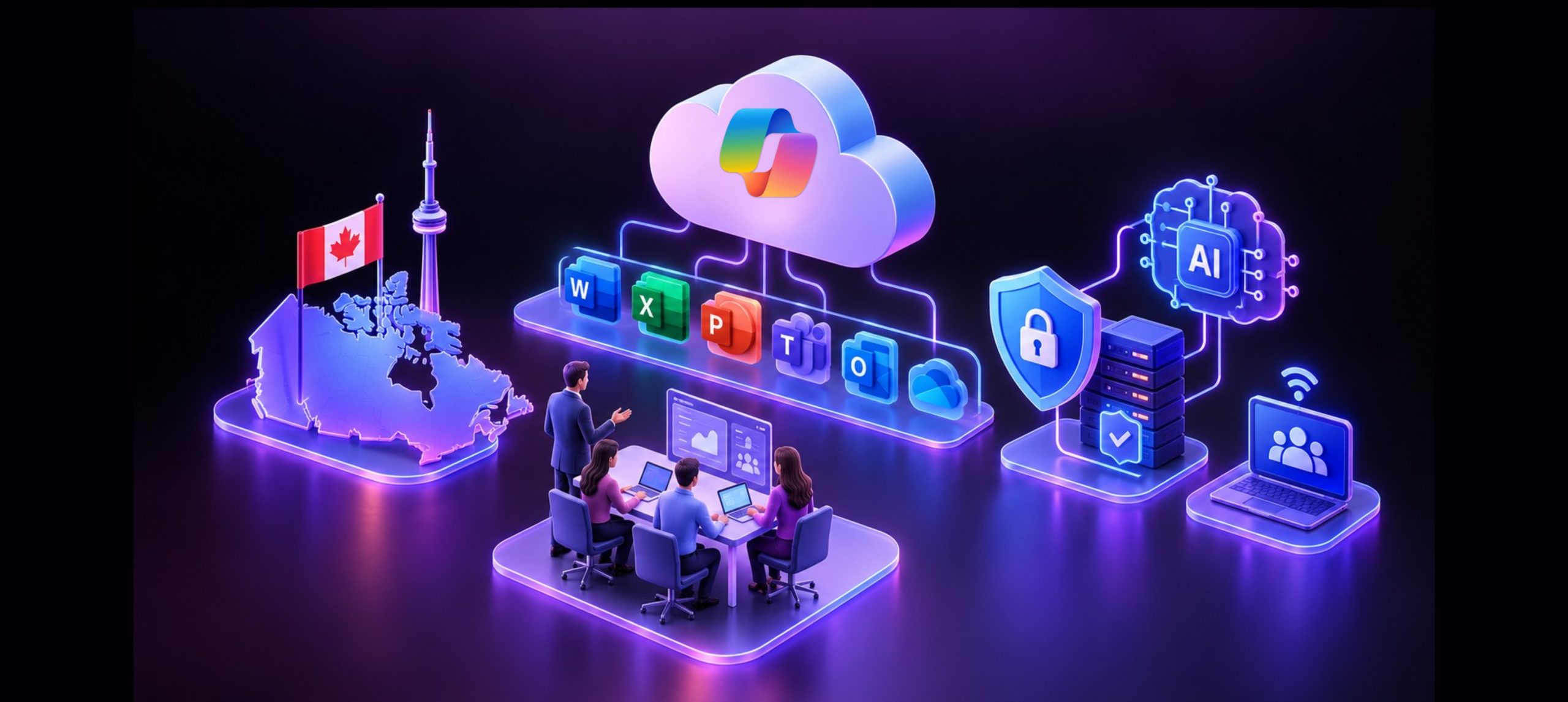
Across Canada, organizations are rethinking how employees communicate, access information, manage devices, protect business data, and prepare for AI-enabled work.
For many businesses, this requires more than purchasing Microsoft licences or moving files to the cloud. It requires a clear modernization strategy that connects technology decisions with business priorities, security, governance, employee adoption, and measurable outcomes.
The right Microsoft 365 consulting services in Canada can help organizations build that strategy. Instead of treating Microsoft 365 as a collection of applications, businesses can use it as the foundation for a more secure, connected, and manageable digital workplace.
Microsoft 365 combines familiar productivity applications with cloud services for email, file storage, collaboration, meetings, device management, and security. Microsoft positions its enterprise offering for large organizations as well as midsize and smaller businesses that require advanced productivity and security capabilities. [learn.microsoft.com]
The opportunity is not simply to deploy more technology. It is to create a workplace that helps people work effectively today while establishing stronger foundations for automation and responsible AI adoption.
What Is Microsoft 365 Modernization?
Microsoft 365 modernization is the process of improving how an organization works by aligning its workplace technology, security, information governance, and employee experience around Microsoft 365.
Depending on the organization’s existing environment and business objectives, modernization may include:
- Migrating email to Exchange Online
- Moving files to SharePoint Online and OneDrive
- Establishing Microsoft Teams as a central collaboration environment
- Modernizing identity and access management
- Managing applications and employee devices
- Strengthening information protection
- Improving governance across Teams and SharePoint
- Retiring redundant or outdated workplace tools
- Automating selected processes with Microsoft Power Platform
- Preparing the organization for Microsoft 365 Copilot
- Improving employee adoption through communications and training
- Establishing ongoing administration, support, and optimization
Modernization goes beyond technical deployment. It connects implementation with governance, security, business processes, workforce enablement, and continuous improvement.
Cambay Solutions’ Canada strategy reflects this broader view, positioning workplace modernization alongside cloud, data, security, ERP, AI, and managed services for Canadian mid-market organizations.
Why Canadian Organizations Are Modernizing Their Digital Workplaces
Many organizations have built their workplace environments through years of incremental technology decisions. The result is often a mix of legacy file servers, locally installed applications, separate communication platforms, inconsistent permissions, manual processes, and overlapping subscriptions.
These environments may continue to function, but they can become increasingly difficult to secure, support, and scale.

Employees need a more connected work experience
Employees may work from offices, home environments, client locations, manufacturing facilities, retail settings, or while travelling. They need reliable access to meetings, conversations, documents, applications, and business information.
When work is spread across disconnected platforms, employees may spend unnecessary time:
- Searching for information
- Reconciling document versions
- Moving information between systems
- Locating the correct workspace
- Determining which communication channel to use
Microsoft 365 connects applications and services such as Exchange Online, Microsoft Teams, SharePoint Online, and OneDrive. Microsoft describes its cloud services as supporting communication, collaboration, productivity, and access to information across connected environments. [learn.microsoft.com].
The goal should not be to introduce more tools. It should be to create a more consistent experience around how people communicate, share information, and complete work.
IT teams need greater consistency and visibility
A fragmented workplace environment increases administrative complexity.
IT teams may be responsible for separate systems covering:
- Meetings
- File storage
- Identity
- Device management
- Security
- Compliance
- Workflow automation
- Employee support
Every additional platform may introduce another subscription, security configuration, support process, integration requirement, data repository, and administrative console.
Microsoft 365 consulting services can help an organization assess this environment and determine:
- Which tools remain necessary
- Which capabilities can be consolidated
- Which legacy platforms should be retired
- Which integrations are business-critical
- Where existing Microsoft licences are underused
- Which security and governance gaps require attention
- How the environment should evolve over time
The objective is not consolidation for its own sake. It is a more manageable technology environment that supports the business without unnecessary duplication.
Security must extend beyond the traditional network
Employees, contractors, partners, applications, devices, and business data no longer operate inside one clearly defined network boundary.
A Microsoft 365 modernization initiative creates an opportunity to assess identity, devices, applications, information, and threats as connected security areas.
Microsoft 365 can support stronger security through capabilities across Microsoft Entra, Microsoft Intune, Microsoft Defender, Microsoft Purview, and related services. Availability varies by subscription and licence, so organizations should confirm requirements against current Microsoft service descriptions. [learn.microsoft.com]
Importantly, Microsoft 365 does not automatically make an organization secure. Security outcomes depend on the licences selected, the architecture implemented, the controls configured, and the processes used to govern and monitor the environment.
Seven Business Benefits of Microsoft 365 Modernization
Organizations should evaluate Microsoft 365 according to the business challenges it can help address, not simply the number of features included in a subscription.
- A more integrated collaboration environment
Microsoft Teams can support meetings, conversations, and collaborative work. SharePoint can support shared content, document management, organizational information, and intranets. OneDrive can support an employee’s individual working files.
When these services are implemented with clear working practices, employees can collaborate around shared information instead of relying heavily on email attachments and disconnected document copies.
However, organizations must still establish practical rules governing:
- When employees should use Teams, SharePoint, OneDrive, or email
- Who may create new teams and sites
- How workspaces should be named
- Who owns each workspace
- How external access is approved
- How inactive workspaces are managed
- How sensitive information is handled
- How business records are retained
Without these decisions, deployment can create workspace sprawl, inconsistent access, and employee confusion.
- Stronger identity and access foundations
Identity has become central to workplace security.
Organizations need to understand who is requesting access, which resources they need, which device they are using, and whether the request meets established policies.
A Microsoft 365 modernization program may include a review of:
- User identities
- Administrative accounts
- Privileged roles
- Guest accounts
- Authentication methods
- Conditional Access policies
- Legacy authentication
- Account-lifecycle processes
- Joiner, mover, and leaver procedures
- Periodic access reviews
Microsoft Entra provides identity and access capabilities that can form part of this foundation. The appropriate controls will depend on licensing, business requirements, user roles, risk, and the organization’s existing architecture.
- More consistent endpoint management
Organizations may need to manage corporate laptops, mobile devices, shared devices, remote endpoints, and approved access from personal devices.
Microsoft Intune provides cloud-based device and application management capabilities. Microsoft describes Intune as helping organizations support workforce productivity while protecting organizational data. [learn.microsoft.com]
A Microsoft 365 consultant can help assess requirements such as:
- Device enrolment
- Configuration standards
- Application deployment
- Software updates
- Device compliance
- Mobile application protection
- Access from unmanaged devices
- Lost or compromised devices
- Separation of organizational and personal information
The right approach should reflect how employees work and the sensitivity of the information they access.
- Connected security and information protection
Microsoft provides security and compliance capabilities across identity, endpoints, email, applications, data, and cloud environments.
A modernization program may evaluate:
- Email and collaboration protection
- Endpoint security
- Identity protection
- Privileged access
- Threat detection and response
- Data classification
- Sensitivity labels
- Data loss prevention
- Retention
- Audit
- Security monitoring
The availability of individual capabilities depends on the Microsoft subscriptions and licences selected. Microsoft recommends reviewing its plan comparisons and product-specific service descriptions to confirm feature availability.
Cambay Solutions approaches security as part of the broader technology strategy, connecting identity, data protection, cloud security, threat detection, governance, and AI readiness.
- Improved information governance
Moving information to Microsoft 365 without establishing ownership and governance can create long-term risk.
Organizations should decide:
- Who owns important information
- Who owns each SharePoint site and Microsoft Team
- Who may create new collaboration workspaces
- How sensitive information should be classified
- How content may be shared internally and externally
- How long different content should be retained
- How inactive workspaces should be handled
- How permissions should be reviewed
- How legal and regulatory requirements affect content management
Effective governance should make responsible work easier. It should not create unnecessary barriers that encourage employees to seek unapproved alternatives.
- Opportunities to automate routine processes
Microsoft Power Platform can help organizations digitize selected processes, automate repetitive work, develop business applications, and improve access to operational information.
Potential scenarios include:
- Document approvals
- Employee onboarding
- Service requests
- Forms and data collection
- Notifications and escalations
- Policy acknowledgements
- Contract-review workflows
- Project-status reporting
- Departmental applications
- Compliance workflows
These are potential use cases, not guaranteed outcomes.
Each opportunity should be assessed for business value, process ownership, technical feasibility, data requirements, security, and governance.
Automating an inefficient process without first improving it can reproduce the same problem in a different system. Organizations should simplify the process, assign ownership, and define the desired outcome before implementing automation.
- A stronger foundation for Microsoft 365 Copilot
AI is giving organizations another reason to modernize their workplace environments.
Microsoft 365 Copilot can work across Microsoft applications and authorized workplace information to help users create, communicate, analyse information, and complete tasks. However, successful adoption requires more than assigning licences.
Before deploying Copilot broadly, organizations should review:
- Existing information permissions
- Overshared or outdated content
- Sensitive-data protection
- SharePoint and OneDrive governance
- Identity and device controls
- Responsible AI policies
- Priority business scenarios
- Employee training
- Adoption measurement
- Business-value measurement
A user’s existing access permissions affect which organizational content Copilot can use. This makes identity, access, information governance, and data protection central to Copilot readiness.
Planning for Microsoft 365 Copilot?
Request a Microsoft 365 and Copilot Readiness Assessment to identify security, permissions, governance, information-protection, adoption, and business-use-case priorities before broader deployment.
Cambay’s assessment strategy similarly focuses on business priorities, Microsoft platforms, data governance, authorized access, security, privacy, executive sponsorship, adoption, and measurement.
How Microsoft 365 Can Support Different Canadian Industries?
Different industries have different operational models, workforce structures, security requirements, and regulatory obligations. Microsoft 365 consulting services in Canada should therefore reflect each organization’s business and industry context.
Manufacturing and distribution
Manufacturers and distributors may need to connect office staff, plant employees, warehouse teams, field personnel, suppliers, and external partners.
Potential modernization priorities include:
- Collaboration between office and operational teams
- Controlled document sharing
- Standardized operating procedures
- Mobile access
- Digitized forms and approvals
- Employee communications
- Identity and device management
- Integration with business applications
The right approach should consider frontline accessibility, device requirements, operational continuity, and the practical working environment.

Healthcare
Healthcare organizations may require carefully governed collaboration and information-sharing environments.
Relevant planning areas can include:
- Identity and access
- Device security
- External collaboration
- Information classification
- Data loss prevention
- Retention
- Employee communication
- Audit requirements
Specific compliance requirements should be determined according to the organization’s applicable laws, contracts, policies, data types, and risk profile.
Financial and professional services
Financial and professional-services organizations often manage confidential client information while operating across different offices and client environments.
Potential priorities include:
- Controlled document collaboration
- Privileged access
- External sharing
- Sensitivity labels
- Retention
- Audit
- Secure mobile access
- Client communications
The architecture should reflect the organization’s information risk, operational model, and applicable obligations.
Retail and frontline environments
Retail organizations may need to connect corporate teams, regional managers, store leaders, frontline employees, and seasonal workers.
Potential workplace scenarios include:
- Employee communications
- Task coordination
- Process digitization
- Approvals
- Mobile applications
- Workflow automation
- Controlled access to organizational information
The final design should account for user roles, devices, business processes, security, and licensing.
Why Microsoft 365 Deployments Sometimes Underperform?
A technically successful deployment does not automatically produce meaningful business change.
Deployment becomes the only objective
If success is measured only by applications installed, licences assigned, or mailboxes migrated, the initiative may overlook employee experience, governance, security, and operational outcomes.
A stronger program starts with business-focused questions:
- Which problem are we trying to solve?
- Which employee experience needs to improve?
- Which risks need to be reduced?
- Which manual processes should change?
- What should employees do differently after implementation?
- How will success be evaluated?
Existing problems move into the new environment
Migrating redundant content, unclear permissions, inactive workspaces, and inefficient processes can preserve the same problems in Microsoft 365.
Modernization should include information cleanup, ownership review, permissions analysis, governance design, and process improvement.
Too many capabilities are introduced at once
Employees and support teams have a limited capacity for simultaneous change.
A phased roadmap allows the organization to prioritize valuable scenarios, collect employee feedback, improve training, and address issues before expanding adoption.
Change management is underestimated
Employees need to understand:
- Why the change is happening
- How their work will be affected
- Which tools they should use
- Which working practices will change
- Where they can get help
- How they can provide feedback
Cambay Solutions combines technology expertise with people-centred transformation strategies. Its change approach includes communications, training, stakeholder engagement, leadership alignment, adoption measurement, and sustained support.
Governance and optimization end after deployment
The Microsoft 365 environment will continue to change as users, sites, teams, guests, applications, data, workflows, and AI scenarios evolve.
Organizations need defined ownership for:
- Administration
- Security monitoring
- Workspace governance
- Licence management
- Employee support
- Change communications
- Adoption
- Information protection
- Service improvement
- Roadmap updates
What Does a Microsoft 365 Consultant Do?
A Microsoft 365 consultant helps connect Microsoft technologies with business requirements, security priorities, employee needs, information governance, and operational outcomes.
The exact scope varies, but an engagement may include the following areas.
Current-state assessment
A consultant can assess:
- Existing productivity and collaboration tools
- Microsoft 365 licences and configurations
- Email and document environments
- Users and identities
- Employee devices
- Security controls
- Information governance
- Business applications and integrations
- Support processes
- Employee adoption
- Automation opportunities
- Copilot readiness
Strategy and roadmap
Assessment findings can be translated into a prioritized roadmap based on:
- Business value
- Risk
- Dependencies
- Technical feasibility
- Organizational capacity
- Employee readiness
- Available budget and resources
Microsoft identifies FastTrack, Microsoft Consulting Services, and Microsoft partners as available options for organizations planning and deploying Microsoft 365.
Architecture and governance
Consulting services may help define:
- Identity architecture
- Administrative roles
- Collaboration architecture
- SharePoint and Teams governance
- Endpoint-management requirements
- External access
- Information protection
- Retention
- Support responsibilities
- Service ownership
Migration and implementation
Implementation may involve Exchange Online, Microsoft Teams, SharePoint, OneDrive, identity, devices, information protection, security capabilities, or tenant consolidation.
The migration method, scope, validation requirements, and timeline should be established after the source environment has been assessed.
Employee adoption and change management
Consulting may also include:
- Stakeholder analysis
- Leadership alignment
- Communications
- Role-based training
- Employee champions
- User guidance
- Feedback mechanisms
- Adoption measurement
- Reinforcement activities
The goal is not simply to increase tool usage. It is to help employees use the right capabilities confidently and consistently.
Continuous optimization
After deployment, consultants can help review:
- Licensing
- Security configurations
- Workspace governance
- User adoption
- Support trends
- Information protection
- Automation opportunities
- Copilot readiness
- New business requirements
Need a practical Microsoft 365 roadmap?
Schedule a Modern Workplace Strategy Session with Cambay Solutions to assess your current environment, identify priority improvements, and define a practical path forward.
What Do Microsoft 365 Consulting Services Cost in Canada?
There is no universal price for Microsoft 365 consulting services. The cost depends on the organization’s environment, objectives, and engagement scope.
Key factors may include:
- Number of users
- Number of locations
- Existing technology platforms
- Data volume
- Migration complexity
- Identity architecture
- Device-management requirements
- Security and compliance requirements
- Application integrations
- Information-governance maturity
- Employee-adoption needs
- Copilot-readiness scope
- Post-deployment support
- Managed-services requirements
Pricing should follow an assessment that identifies the current environment, desired outcomes, technical dependencies, risks, and delivery responsibilities.
Organizations should be cautious about fixed estimates based only on employee count. Two businesses with the same number of users may have very different data, security, application, governance, and adoption requirements.
A Practical Microsoft 365 Modernization Roadmap
The following framework illustrates a practical consulting approach. It is not a mandatory Microsoft methodology.
Phase 1: Align business priorities
Define:
- Business problems
- Employee needs
- Security priorities
- Executive sponsorship
- Operational objectives
- Desired outcomes
- Measures of success
Phase 2: Assess the current environment
Review:
- Users and identities
- Email and content
- Collaboration platforms
- Devices
- Licences
- Security controls
- Information governance
- Integrations
- Employee adoption
- AI readiness
Phase 3: Establish security and governance foundations
Prioritize identity, administrative roles, endpoint requirements, information protection, workspace governance, and external-access controls.
Phase 4: Modernize collaboration
Implement or improve Microsoft Teams, SharePoint, OneDrive, and related workplace practices around clearly defined business scenarios.
Phase 5: Enable employees
Provide communications, role-based training, leadership support, employee champions, feedback channels, and reinforcement.
Phase 6: Automate selected processes
Prioritize workflows where Microsoft 365 or Power Platform can improve consistency, reduce manual effort, or increase visibility.
Phase 7: Prepare for Copilot
Review permissions, sensitive information, governance, identity, security, responsible AI policies, business scenarios, and employee readiness.
Phase 8: Optimize continuously
Monitor:
- Adoption
- Security posture
- Workspace growth
- External sharing
- Support requests
- Licensing
- Employee feedback
- Business outcomes
- New Microsoft capabilities
How to Choose a Microsoft 365 Consulting Partner in Canada
A Microsoft 365 consulting partner should understand that modernization affects technology, people, information, security, and business operations.
Ask prospective partners the following questions.
Do you begin with business requirements?
The partner should connect Microsoft capabilities to operational needs rather than starting with a predetermined product list.
Can you assess our complete environment?
A useful assessment should examine identities, devices, applications, data, collaboration platforms, security, governance, licensing, and employee readiness.
How do you approach security and governance?
Security and governance should be included in discovery and architecture rather than added after deployment.
How will you support employee adoption?
Look for an approach that includes communications, leadership engagement, role-based training, employee champions, feedback, and adoption measurement.
Can you prepare the organization for Microsoft 365 Copilot?
The partner should address permissions, information protection, oversharing, security, governance, responsible AI, use cases, adoption, and value measurement.
What happens after deployment?
The partner should clearly explain its approach to administration, support, optimization, governance, and managed services.
Can you support connected Microsoft workloads?
Workplace requirements may extend into Microsoft Security, Power Platform, Azure, Dynamics 365, Power BI, and AI. A partner with cross-platform capabilities can help connect these requirements into a coherent roadmap.
How Cambay Solutions Supports Microsoft 365 Modernization
Cambay Solutions helps mid-market organizations get more value from the Microsoft ecosystem by modernizing workplace operations, cloud, data, security, ERP, and managed services.
Its approach focuses on applying AI and automation where they address meaningful business challenges, supported by senior expertise, responsive engagement, and global delivery capabilities.
Relevant capabilities include:
- Microsoft 365 assessments
- Modern workplace strategy
- Microsoft 365 migration and implementation
- Microsoft Teams and SharePoint
- Identity and access management
- Microsoft Security
- Information protection and governance
- Microsoft Power Platform
- Microsoft 365 Copilot readiness
- Organizational change management
- Workforce enablement
- Training and communications
- Managed services
- Continuous optimization
Cambay’s approach starts with the organization’s technology environment and business objectives, then uses Microsoft solutions to modernize systems, connect processes, improve operations, and establish a scalable foundation for growth.
By combining technical delivery with change management and adoption support, Cambay helps organizations move beyond implementation and focus on sustained business value.
Frequently Asked Questions
What are Microsoft 365 consulting services?
Microsoft 365 consulting services help organizations assess, design, implement, govern, secure, adopt, and optimize Microsoft 365.
An engagement may cover migration, Microsoft Teams, SharePoint, OneDrive, identity, endpoint management, security, information governance, Power Platform, employee adoption, Copilot readiness, and ongoing support.
Why are Canadian organizations modernizing with Microsoft 365?
Organizations may use Microsoft 365 to connect productivity, email, collaboration, file storage, meetings, device management, and security services in a cloud-based environment. [learn.microsoft.com], [learn.microsoft.com]
The business case depends on the organization’s current environment, operational priorities, risks, licences, and desired outcomes.
Is Microsoft 365 modernization the same as migration?
No. Migration primarily focuses on moving users, data, and workloads. Modernization may also include security, governance, operating-model changes, employee adoption, process automation, application integration, and continuous improvement.
Can Microsoft 365 support hybrid work?
Microsoft 365 provides cloud-based services for productivity, communication, meetings, file sharing, identity, and device management.
The resulting employee experience depends on implementation, licensing, governance, security, training, and organizational working practices.
Can Microsoft 365 improve security?
Microsoft 365 offers security and compliance capabilities through services such as Microsoft Defender, Entra, Intune, and Purview, depending on the selected subscription and licences.
Security outcomes depend on architecture, configuration, monitoring, governance, policy enforcement, and employee behaviour.
How does Microsoft 365 support Copilot readiness?
Microsoft 365 provides the applications, identities, permissions, information, and security context used by Microsoft 365 Copilot.
Organizations should review permissions, sensitive content, information protection, governance, security controls, priority scenarios, and employee readiness before broader deployment.
What should a Microsoft 365 assessment include?
An assessment should review users, identities, devices, email, documents, collaboration platforms, licences, integrations, security controls, information governance, support processes, employee adoption, and AI-readiness requirements.
How long does Microsoft 365 modernization take?
There is no universal timeline. Duration depends on scope, user numbers, data, source platforms, integrations, security requirements, internal capacity, and adoption needs.
A current-state assessment is necessary before establishing a responsible timeline.
Do employees need training?
Role-based training helps employees understand how and when to use Microsoft 365 capabilities.
For broader transformation, training should be supported by communications, leadership alignment, accessible guidance, employee feedback, and ongoing reinforcement.
Why work with a Microsoft 365 consultant in Canada?
A consultant can help connect Microsoft technology with business requirements, security priorities, information governance, migration, employee adoption, and long-term support.
This can be particularly valuable for mid-market organizations that need specialized Microsoft expertise without building every capability internally.
Build a More Secure, Connected, and AI-Ready Workplace
Microsoft 365 modernization is not about enabling every available feature. It is about selecting the right capabilities, establishing stronger foundations, improving how employees work, and creating an operating model that can adapt as business needs change.
With the right Microsoft 365 consulting services in Canada, organizations can move beyond fragmented tools and isolated technology projects. They can build a more manageable workplace that supports collaboration, security, governance, automation, and responsible AI adoption.
Cambay Solutions helps Canadian organizations assess their Microsoft 365 environments, define practical modernization roadmaps, strengthen security and governance, enable employees, prepare for Copilot, and continuously optimize their Microsoft investments.
Ready to modernize your Microsoft 365 environment?
Schedule a Modern Workplace Strategy Session with Cambay Solutions to identify your priority use cases, security and governance gaps, adoption needs, and practical next steps.