

 Microsoft AI
19 min
Microsoft AI
19 min
Choosing a Microsoft 365 plan can seem straightforward until security, compliance, device management, artificial intelligence, storage, and future growth enter the conversation.
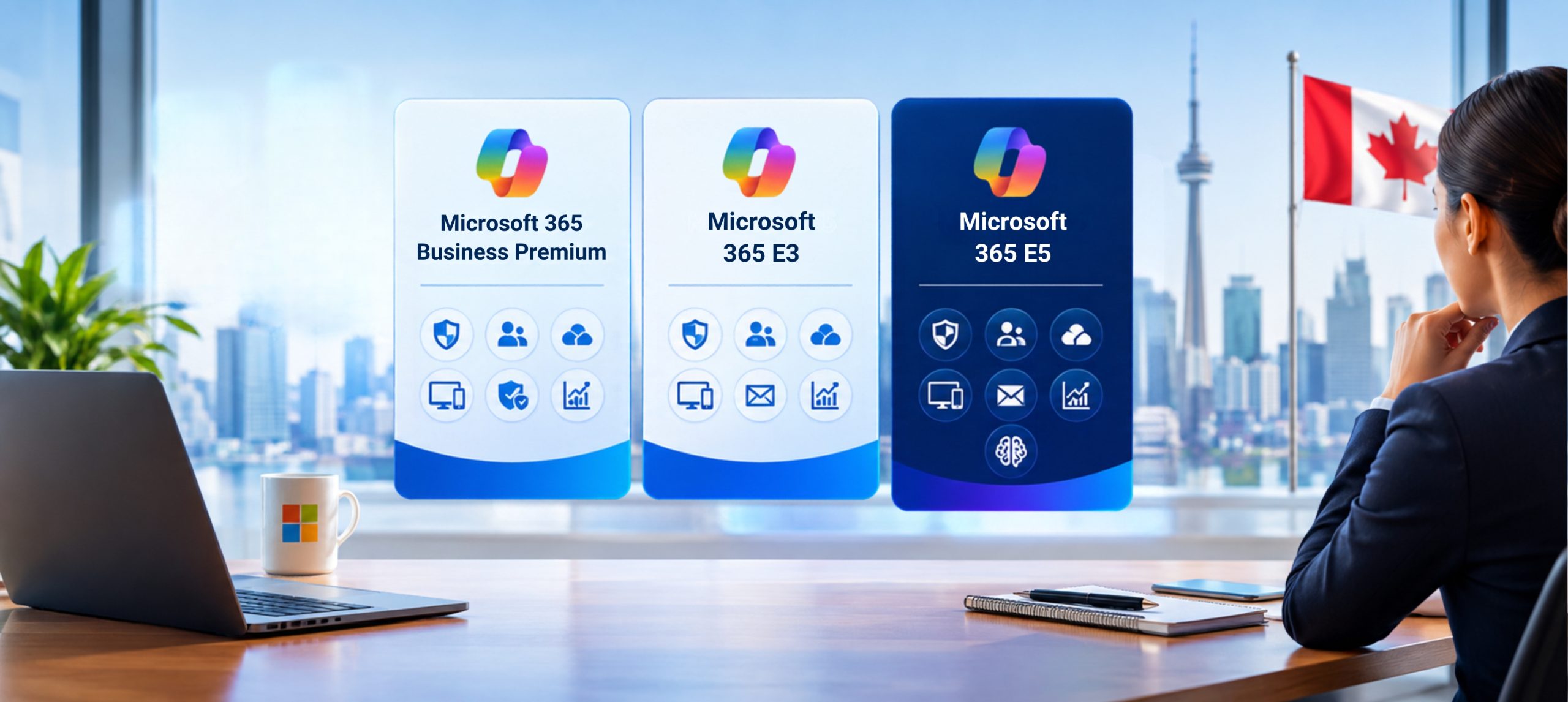
For many Canadian organizations, the decision comes down to three options:
- Microsoft 365 Business Premium
- Microsoft 365 E3
- Microsoft 365 E5
Each plan combines productivity and cloud services with different identity, endpoint-management, security, and compliance capabilities. The right choice is not necessarily the plan with the longest feature list. It is the plan that supports your workforce, risk profile, operational priorities, regulatory obligations, and technology roadmap without creating unnecessary cost or complexity.
A qualified Microsoft 365 consultant in Canada can help your organization evaluate these requirements, compare available subscriptions, and design a licensing strategy that supports both immediate needs and future initiatives such as Microsoft Copilot.
This guide explains the differences among Microsoft 365 Business Premium, E3, and E5 and provides a practical framework for selecting the right option.
Licensing notice: Microsoft licensing, product names, packaging, prices, and feature availability can change. Pricing information in this article was checked against Microsoft’s Canadian pages on September 18, 2026. Always confirm the exact SKU, included services, billing commitment, user eligibility, and current Canadian price before purchasing.
Why Microsoft 365 Licensing Deserves Strategic Attention
Microsoft 365 licensing is often treated primarily as a procurement exercise. In practice, the subscription selected can affect much more than monthly cost.
Your licensing decisions may determine:
- Which productivity applications employees can use
- How email and collaboration services are delivered
- How identities and devices are managed
- Which access controls are available
- How endpoints, email, and collaboration services are protected
- How sensitive information can be classified and governed
- Which compliance and investigation capabilities can be used
- How the organization can prepare for Microsoft Copilot
- Whether additional security, compliance, voice, or analytics products are required
Microsoft 365 Business Premium, E3, and E5 all support cloud productivity, but they are designed for different organizational requirements.
Microsoft 365 Business Premium is designed for small and midsize organizations with up to 300 users. Microsoft 365 E3 and E5 do not have the same stated 300-user limit.
Employee count, however, should not be the only consideration. A smaller organization may still have complex security, information-protection, or compliance requirements that warrant evaluating an enterprise plan or additional services.
Microsoft 365 Business Premium, E3, and E5 at a Glance
Microsoft 365 Business Premium
Microsoft 365 Business Premium combines productivity and collaboration capabilities with business-focused identity, security, and device management. It is designed for organizations with up to 300 users.
It may be worth evaluating when an organization:
- Has 300 or fewer users
- Wants productivity, collaboration, security, and device management in one subscription
- Needs to manage Windows, macOS, iOS, and Android devices
- Requires business-focused Conditional Access and application-protection policies
- Needs security capabilities addressing areas such as phishing, ransomware, and data protection
- Does not require the more advanced identity, investigation, and compliance capabilities available through E5
Microsoft’s Canadian pricing pages may display different Business Premium offers depending on the bundle selected. Some offers may include Copilot or Teams, while others may package these services differently.
Organizations should not treat the price of one Business Premium offer as the price of every Business Premium SKU.
Microsoft 365 E3
Microsoft 365 E3 provides core enterprise productivity, identity, endpoint-management, security, and compliance capabilities.
It brings together Microsoft 365 applications and services with Windows 11 Enterprise and enterprise device-management and security functionality. Its current capabilities include Microsoft Entra ID Plan 1, Microsoft Intune Plan 1, device-compliance policies, application-protection policies, endpoint analytics, Windows Autopilot, and Windows 11 Enterprise.
At the time of verification, Microsoft’s Canadian enterprise page listed Microsoft 365 E3 at CAD $52.90 per user per month with an annual commitment, plus applicable tax.
E3 may be appropriate when an organization:
- Has more than 300 users
- Requires an enterprise licensing model
- Needs Windows 11 Enterprise
- Requires Microsoft Entra ID Plan 1
- Uses Microsoft Intune Plan 1 for device and application management
- Needs core Microsoft Purview capabilities
- Wants the option to add specific Microsoft security or compliance capabilities
- Needs an enterprise foundation without licensing every user for E5
Microsoft 365 E5
Microsoft 365 E5 builds on the E3 foundation with more advanced identity, security, compliance, voice, and data-analysis capabilities.
E5 is differentiated through capabilities such as Microsoft Entra ID Plan 2, broader Microsoft Defender XDR functionality, advanced Microsoft Purview capabilities, and Microsoft Security Copilot under Microsoft’s current licensing model.
At the time of verification, Microsoft’s Canadian enterprise page listed Microsoft 365 E5 at CAD $81.40 per user per month with an annual commitment, plus applicable tax.
E5 may be relevant when an organization requires:
- Microsoft Entra ID Plan 2
- Privileged Identity Management
- Identity Protection and risk detection
- Access reviews and entitlement management
- Broader Microsoft Defender XDR capabilities
- Advanced information protection and data governance
- Insider Risk Management
- Communication Compliance
- Advanced Audit
- More advanced eDiscovery and investigation capabilities
- Microsoft Security Copilot under the current E5 entitlement
Quick Licensing Comparison
| Decision Area | Business Premium | Microsoft 365 E3 | Microsoft 365 E5 |
| User limit | Up to 300 users | No stated user limit on Microsoft’s Canadian enterprise comparison | No stated user limit on Microsoft’s Canadian enterprise comparison |
| Productivity | Included | Included | Included |
| Windows entitlement | Business-focused Windows capabilities | Windows 11 Enterprise | Windows 11 Enterprise |
| Identity | Business-focused identity and Conditional Access | Microsoft Entra ID Plan 1 | Microsoft Entra ID Plan 2 with advanced identity capabilities |
| Endpoint management | Business-focused device and application management | Microsoft Intune Plan 1 | Microsoft Intune capabilities available under the applicable E5 entitlement |
| Security | Advanced security for small and midsize businesses | Core enterprise security capabilities | Broader Microsoft Defender XDR and advanced security capabilities |
| Compliance | Business-focused protection and compliance | Core Microsoft Purview capabilities | Advanced Microsoft Purview capabilities |
| Copilot Chat | Available to eligible licensed users | Available to eligible licensed users | Available to eligible licensed users |
| Microsoft Copilot | Separate licence or qualifying bundle may be required | Add-on available | Add-on available |
| Typical fit | Organizations with up to 300 users seeking integrated productivity and security | Organizations requiring an enterprise productivity and management foundation | Organizations requiring advanced identity, security, investigation, and compliance |
Teams packaging note: Microsoft offers certain plans in versions with and without Teams. Confirm that all prices being compared refer to equivalent SKUs before calculating the cost difference among Business Premium, E3, and E5.

What Do the Three Plans Have in Common?
Business Premium, E3, and E5 share many foundational Microsoft 365 capabilities, although specific service entitlements and feature levels may differ.
These plans are designed to support areas such as:
- Productivity applications
- Business email
- File storage
- Collaboration
- Meetings
- User administration
- Service-health monitoring
- Microsoft 365 Groups
- Microsoft Search
- Microsoft Teams, when included in the selected SKU
The largest differences appear in user limits, Windows entitlements, identity protection, endpoint security, threat detection, information governance, compliance, and investigation capabilities.
Microsoft 365 Business Premium: Integrated Productivity and Security for Up to 300 Users
Microsoft 365 Business Premium is more than an application subscription. It combines workplace productivity with business-focused security and management capabilities.
Productivity and collaboration
Depending on the selected offer, Business Premium can bring Microsoft productivity applications and services such as Outlook, Exchange Online, Microsoft Teams, SharePoint, and OneDrive into a connected environment.
This can help smaller organizations consolidate email, meetings, applications, files, device management, and selected security functions.
Device and application management
Business Premium provides capabilities for managing and helping secure Windows, macOS, iOS, and Android devices that access organizational information.
This can be relevant for organizations supporting:
- Corporate laptops
- Remote and hybrid employees
- Employee mobile devices
- Approved bring-your-own-device scenarios
- Distributed offices
- Field-based employees
Organizations should still validate which device-management and security capabilities are included with the exact Business Premium SKU they plan to purchase.
Identity and access
Business Premium includes business-focused identity and access controls. Depending on the applicable entitlement and configuration, these may help organizations apply access policies based on identity, device, location, or other conditions.
These controls can support scenarios such as:
- Requiring multifactor authentication
- Restricting access from unmanaged devices
- Applying user-based Conditional Access
- Controlling access to Microsoft 365 resources
- Protecting organizational information on mobile devices
Information protection and compliance
Business Premium includes information-protection and compliance capabilities designed for small and midsize organizations. Depending on the applicable entitlement, these may include sensitivity labels, data loss prevention, retention, auditing, and eDiscovery functionality.
These protections still require planning and configuration. Purchasing Business Premium does not automatically classify sensitive information, correct existing permissions, or enforce the organization’s governance policies.
Where Business Premium may become limiting
The clearest limitation is the 300-user maximum.
Organizations should also determine whether Business Premium meets their needs for:
- Advanced identity-risk detection
- Privileged Identity Management
- Broad extended detection and response
- Advanced audit requirements
- Insider-risk scenarios
- Communication Compliance
- Complex eDiscovery requirements
- Advanced data-governance capabilities
- Large or highly distributed enterprise administration
The decision should be based on confirmed business and technical requirements, not general assumptions about what an organization of a particular size needs.
Not sure whether Business Premium offers the right level of protection?
A Microsoft 365 Licensing and Security Assessment can map your users, devices, information risks, and compliance requirements against your current subscription.
Microsoft 365 E3: An Enterprise Foundation with Room to Expand
Microsoft 365 E3 is designed for organizations that need an enterprise productivity, management, identity, security, and compliance foundation without requiring every advanced capability included in E5.
Enterprise scale
Microsoft’s Canadian enterprise comparison does not state a user limit for Microsoft 365 E3.
This makes E3 a natural option for organizations exceeding the Business Premium threshold. Smaller organizations may also evaluate E3 when they need enterprise Windows, identity, endpoint-management, or governance capabilities.
Enterprise productivity and Windows
Microsoft 365 E3 includes core Microsoft 365 productivity capabilities and Windows 11 Enterprise.
Business Premium should not be presented as providing a Windows entitlement equivalent to Windows 11 Enterprise in E3 or E5.
Identity and endpoint management
Microsoft 365 E3 includes capabilities such as:
- Microsoft Entra ID Plan 1
- Multifactor authentication
- Single sign-on
- Conditional Access
- Microsoft Intune Plan 1
- Device-compliance policies
- Application-protection policies
- Endpoint security policy management
- Endpoint analytics
- Windows Autopilot
- Windows 11 Enterprise
Together, these capabilities can provide an enterprise foundation for managing users, devices, applications, and access.
Core Microsoft Purview capabilities
Microsoft 365 E3 includes core Microsoft Purview capabilities that may support:
- Creating custom sensitivity labels
- Manually applying sensitivity labels
- Data loss prevention for SharePoint, Exchange, and OneDrive
- Retention policies
- Manual retention labels
- Content Explorer
- Standard Audit
- Basic Compliance Manager capabilities
Because Microsoft licensing changes over time, organizations should verify individual feature entitlements against current service descriptions and product terms.
E3 with targeted add-ons
Some organizations use E3 as a foundation and add selected security or compliance capabilities for users who need them.
Available additions may include Microsoft Defender and Microsoft Purview suites.
This model can provide flexibility, but it can also introduce complexity. Decision-makers should compare:
- The combined cost of E3 and selected add-ons
- Which users need each added capability
- Administrative and entitlement-management requirements
- Whether E5 would provide a simpler licensing structure
- Whether the organization can implement and operate the additional capabilities
A growing collection of add-ons should be evaluated as a complete licensing architecture rather than as a series of separate purchasing decisions.
Microsoft 365 E5: Advanced Identity, Security, and Compliance
Microsoft 365 E5 includes the E3 foundation and extends it with more advanced capabilities.
Advanced identity protection
Microsoft 365 E5 includes Microsoft Entra ID Plan 2 and advanced identity functionality such as:
- Risk-based Conditional Access
- Privileged Identity Management
- Identity Protection
- Access reviews and certifications
- Entitlement management
These capabilities can be relevant to organizations with:
- Privileged administrators
- Contractors and external users
- Complex access requirements
- Sensitive information
- Multiple business units
- Formal identity-governance requirements
Broader Microsoft Defender XDR capabilities
Under Microsoft’s current licensing model, E5 provides broader Microsoft Defender XDR and advanced threat-protection capabilities.
These may address areas such as:
- Email and collaboration protection
- Extended detection and response
- Endpoint detection and response
- Ransomware protection
- SaaS application protection
- Shadow IT discovery
Licensing these capabilities does not create a complete security program by itself. Organizations still need appropriate architecture, configuration, monitoring, operating procedures, incident-response processes, and qualified personnel.
Advanced Microsoft Purview capabilities
Microsoft 365 E5 includes advanced information-protection, governance, compliance, and investigation capabilities.
Depending on the applicable entitlement, these may include:
- Default and automatically applied sensitivity labels
- Sensitivity labels for SharePoint sites and Microsoft Teams
- Data loss prevention for Teams and endpoints
- Adaptive Protection
- Automatically applied retention labels
- Communication Compliance
- Insider Risk Management
- Advanced Audit
- Advanced Compliance Manager functionality
- More advanced eDiscovery capabilities
Advanced Audit may provide extended retention options, subject to the applicable licensing, configuration, workload, and Microsoft service requirements.
These capabilities may be especially relevant to organizations managing sensitive information, formal investigations, complex retention policies, or advanced compliance requirements.
Microsoft Security Copilot
Under Microsoft’s current licensing model, Microsoft Security Copilot is included with Microsoft 365 E5.
Because service packaging and capacity terms can change, organizations should confirm the applicable Security Copilot entitlement, operational requirements, and included capacity before treating it as part of a final purchasing decision.
Endpoint-management considerations
Microsoft 365 E3 includes Microsoft Intune Plan 1, while E5 may provide access to additional Intune capabilities under the applicable entitlement.
Organizations should not assume that every Microsoft Intune Suite feature is automatically included with every E5 SKU. Confirm the exact Intune entitlement and determine whether separate licensing is required for any advanced capability under consideration.
Copilot Chat vs. the Microsoft Copilot Add-On
Copilot licensing requires careful explanation because similarly named experiences can provide different functionality.
Microsoft Copilot Chat
Users with eligible Microsoft 365 business licences can access Microsoft Copilot Chat.
Depending on the assigned licence and organizational configuration, Copilot Chat may provide capabilities such as:
- Web-grounded AI chat
- Research and question answering
- Document and webpage summarization
- Image creation
- File upload
- Pay-as-you-go agents
Availability and access within Microsoft 365 applications can depend on the licence assigned and the organization’s configuration.
Microsoft Copilot add-on
Microsoft Copilot is an add-on licence that includes Copilot Chat functionality plus additional workplace capabilities.
The add-on may provide:
- AI chat grounded in authorized work data
- Access to work-data-based agents
- Reasoning agents such as Researcher and Analyst
- Advanced in-application functionality
- Meeting summaries and recaps in Teams, where available
- Premium AI search and content-creation capabilities
- Additional security, privacy, and compliance functionality for administrators
- Priority access for more consistent availability
At the time of verification, Microsoft’s Canadian enterprise page displayed Microsoft 365 Copilot for E3 and E5 at CAD $40.70 per user per month when paid yearly, plus applicable tax.
Why the distinction matters
An organization should not state simply that “Copilot is included with Microsoft 365” without identifying:
- Which Copilot experience is being discussed
- Which base subscription the user has
- Whether a Copilot add-on has been assigned
- Whether the experience is web-grounded or grounded in authorized work data
- Which Microsoft 365 applications are supported
- How the organization has configured access
A user’s available Copilot experience depends on the subscription, assigned Copilot licence, supported applications, and organizational configuration.
Licensing Is Only One Part of Copilot Readiness
Purchasing a Copilot add-on does not by itself make an organization ready for responsible adoption.
Before deploying Copilot broadly, organizations should review:
- User permissions
- Overshared information
- SharePoint and OneDrive governance
- Sensitive-data protection
- Retention requirements
- Identity controls
- Device security
- Priority business scenarios
- Responsible AI policies
- Employee training
- Adoption measurement
- Business-value measurement
A structured readiness assessment can help the organization identify security, information, governance, and adoption gaps before expanding Copilot access.
Should Every Employee Receive the Same Microsoft 365 Plan?
Not necessarily.
Organizations can assign different Microsoft 365 licences to different users, provided each user is appropriately licensed for the services and functionality they access.
Different user groups may include:
- Executives
- Finance and legal employees
- Security administrators
- Knowledge workers
- Frontline employees
- Contractors
- Seasonal workers
- Shared-device users
- Employees handling sensitive information
A role-based licensing strategy can help align available capabilities with actual responsibilities.
For example, some users may need advanced identity, investigation, or compliance capabilities, while others may primarily need productivity, collaboration, and device management.
However, mixed licensing requires careful assessment. Organizations need to understand:
- Which features are licensed per user
- Which capabilities operate at the tenant level
- Which users receive or benefit from a service
- Which prerequisite licences apply
- Whether additional licences are required for shared or automated scenarios
- How licence assignments will be governed over time
The final model should be validated against Microsoft’s current service descriptions, product terms, and the organization’s commercial agreement.
Common Microsoft 365 Licensing Mistakes
Choosing a plan based only on employee count
Employee count determines whether Business Premium is available, but it does not define the organization’s complete risk or operational profile.
A smaller financial-services or healthcare organization may have more demanding identity, investigation, information-protection, or compliance requirements than a larger company in another industry.
Comparing only the monthly licence price
The visible subscription price is only part of the decision.
Organizations should also consider:
- Required add-ons
- Existing third-party products
- Implementation services
- Security configuration
- Change management
- Employee training
- Monitoring
- Support
- Ongoing administration
- Copilot requirements
- Future growth
Comparing non-equivalent SKUs
Microsoft offers certain subscriptions with and without Teams, as well as bundles that may include Copilot.
Comparing these offers as though they were equivalent can produce an inaccurate cost analysis.
The comparison should document the exact commercial SKU, included services, billing period, commitment, and renewal terms.
Buying E5 without an implementation plan
E5 offers advanced identity, security, and compliance functionality, but licences alone do not deliver those outcomes.
The organization still needs:
- Implementation priorities
- Service ownership
- Architecture
- Configuration standards
- Security operations
- Governance procedures
- Administrative training
- Employee enablement
- Ongoing monitoring
Selecting E3 and accumulating unplanned add-ons
E3 offers flexibility, but adding multiple security, compliance, voice, analytics, and AI services can reduce cost transparency.
Compare the complete E3-plus-add-ons model with E5 rather than evaluating each additional service separately.
Assuming every Copilot experience is included
Copilot Chat and the Microsoft Copilot add-on are different licensing experiences. Access also depends on the assigned licence and organizational configuration.
Failing to reassess licences
Workforce structure, security requirements, regulations, Microsoft services, and AI priorities can change.
As a practical approach, review Microsoft 365 licensing:
- Before renewal
- Before a merger or acquisition
- When workforce size changes significantly
- Before a security-modernization initiative
- Before deploying Microsoft Copilot
- When replacing third-party tools
- When regulatory or contractual requirements change
A Practical Decision Framework
Consider Business Premium when:
- Your organization has 300 or fewer users
- You need Microsoft productivity and collaboration services
- You want integrated business-focused identity, security, and device management
- The included protection and compliance capabilities address your requirements
- You do not need E5’s advanced identity, XDR, investigation, and governance functionality
Consider E3 when:
- Your organization exceeds 300 users
- You need Windows 11 Enterprise
- You require Microsoft Entra ID Plan 1
- You need Microsoft Intune Plan 1
- Core Microsoft Purview capabilities address your requirements
- You want to add selected security or compliance services for targeted users
- You are prepared to manage the cost and complexity of add-ons
Consider E5 when:
- You need Entra ID Plan 2 and advanced identity-risk capabilities
- You require Privileged Identity Management
- You need broader Microsoft Defender XDR protection
- You require advanced Purview compliance and investigation capabilities
- Your organization manages highly sensitive information
- Your security and compliance teams can implement and operate the included services
- The benefits of consolidation justify the higher licence cost
Consider a mixed model when:
- Different employee groups have materially different requirements
- Only selected users need advanced security or investigation functionality
- Frontline, contractor, and knowledge-worker populations require different capabilities
- Licensing specialists confirm that the proposed allocation complies with Microsoft requirements
- The organization has a process for reviewing and maintaining licence assignments
Why Work with a Microsoft 365 Consultant in Canada?
Microsoft provides product pages, comparison tables, service descriptions, and licensing documentation. Translating that information into the right organizational decision can still be difficult.
A Microsoft 365 consultant can help your organization:
- Inventory current licences
- Identify unused or overlapping subscriptions
- Define user and device profiles
- Map identity and security requirements
- Evaluate compliance obligations
- Assess endpoint-management maturity
- Compare Business Premium, E3, E5, and relevant add-ons
- Distinguish Copilot Chat from the Microsoft Copilot add-on
- Prepare the environment for responsible Copilot adoption
- Develop a migration or implementation roadmap
- Establish governance and adoption plans
- Review the environment after deployment
The evaluation should begin with the business challenge and intended outcome. Product selection should follow the requirements rather than drive them.
How Cambay Solutions Can Help
Cambay Solutions helps Canadian mid-market organizations evaluate, implement, secure, govern, and support Microsoft environments.
Relevant capabilities include:
- Microsoft 365 licensing and environment assessments
- Microsoft 365 migration and implementation
- Microsoft Teams and SharePoint
- Identity and access management
- Endpoint management
- Microsoft Security
- Information protection and governance
- Microsoft Copilot readiness
- Employee adoption and change management
- Managed services
- Continuous optimization
Our approach combines Microsoft technology expertise with practical business alignment, security planning, governance, communications, training, stakeholder engagement, and adoption support.
The objective is not to recommend the highest-priced subscription. It is to help each organization select, implement, and govern a licensing model that supports its business, workforce, security, information, and AI requirements.
Frequently Asked Questions
What is the main difference between Business Premium and E3?
Business Premium is designed for organizations with up to 300 users and combines productivity, security, identity, and device-management capabilities for small and midsize businesses.
E3 is an enterprise plan without the same stated 300-user limit. It includes Windows 11 Enterprise, Microsoft Entra ID Plan 1, Microsoft Intune Plan 1, and core enterprise security and compliance capabilities.
Is Business Premium limited to 300 users?
Yes. Microsoft 365 Business Premium is designed for organizations with up to 300 users.
Can a Canadian business with fewer than 300 users choose E3 or E5?
Yes. Enterprise Microsoft 365 plans can also be evaluated by smaller organizations that require more advanced productivity, identity, security, management, or compliance capabilities.
What is the main difference between E3 and E5?
E3 provides core enterprise productivity, identity, endpoint-management, security, and compliance capabilities.
E5 builds on E3 with advanced identity functionality, broader Microsoft Defender XDR protection, advanced Microsoft Purview capabilities, and additional voice and data-analysis functionality.
Does Business Premium include device management?
Business Premium includes business-focused device and application management. Organizations should confirm the precise capabilities included with the exact SKU being purchased.
Does E3 include Microsoft Intune?
Microsoft 365 E3 includes Microsoft Intune Plan 1 under Microsoft’s current licensing model.
Does E5 include every Microsoft Intune Suite feature?
Organizations should not assume that every Microsoft Intune Suite capability is included with every E5 SKU. Confirm the exact E5 entitlement and whether separate licensing is required for advanced Intune functionality.
Is Microsoft Copilot included with Business Premium, E3, or E5?
Users with eligible Microsoft 365 business licences can access Microsoft Copilot Chat.
The Microsoft Copilot add-on provides additional capabilities, including work-data grounding, advanced in-application experiences, reasoning agents, and priority access. A separate licence or qualifying bundle may be required.
Is Microsoft Security Copilot included with E5?
Under Microsoft’s current licensing model, Microsoft Security Copilot is included with Microsoft 365 E5. Organizations should confirm the applicable capacity and entitlement terms before purchasing.
Can an organization combine Business Premium, E3, and E5?
Organizations can assign different licences to different users, but each user must be appropriately licensed for the services and functionality they access.
A mixed licensing model should be reviewed against Microsoft’s current product terms and service descriptions.
Is E5 always better than E3?
E5 includes more advanced capabilities, but it is not automatically the right commercial choice for every organization.
The decision should consider identity, security, compliance, investigation, voice, analytics, implementation requirements, operational capacity, and total licensing cost.
How often should Microsoft 365 licences be reviewed?
There is no universal review schedule. As a practical approach, organizations should review licences before renewal and whenever workforce structure, security requirements, business operations, regulatory obligations, or AI plans change significantly.
Choose the Microsoft 365 Plan That Fits Your Business
The decision between Microsoft 365 Business Premium, E3, and E5 should begin with business requirements, not feature counts.
Business Premium can provide an integrated productivity and security foundation for organizations with up to 300 users. E3 provides core enterprise identity, endpoint-management, security, compliance, productivity, and Windows capabilities. E5 extends that foundation with more advanced identity protection, Defender XDR, investigation, audit, and information-governance capabilities.
The most effective licensing strategy is one that your organization can implement, govern, support, and use effectively.
Cambay Solutions helps Canadian organizations assess current licences, evaluate security and compliance requirements, define user profiles, prepare for Microsoft Copilot, and develop practical Microsoft 365 roadmaps.
Not sure which Microsoft 365 subscription fits your organization?
Request a Microsoft 365 Licensing and Microsoft Security Assessment from Cambay Solutions to compare Business Premium, E3, E5, Copilot, and relevant add-ons against your business requirements.