

 Microsoft AI
19 min
Microsoft AI
19 min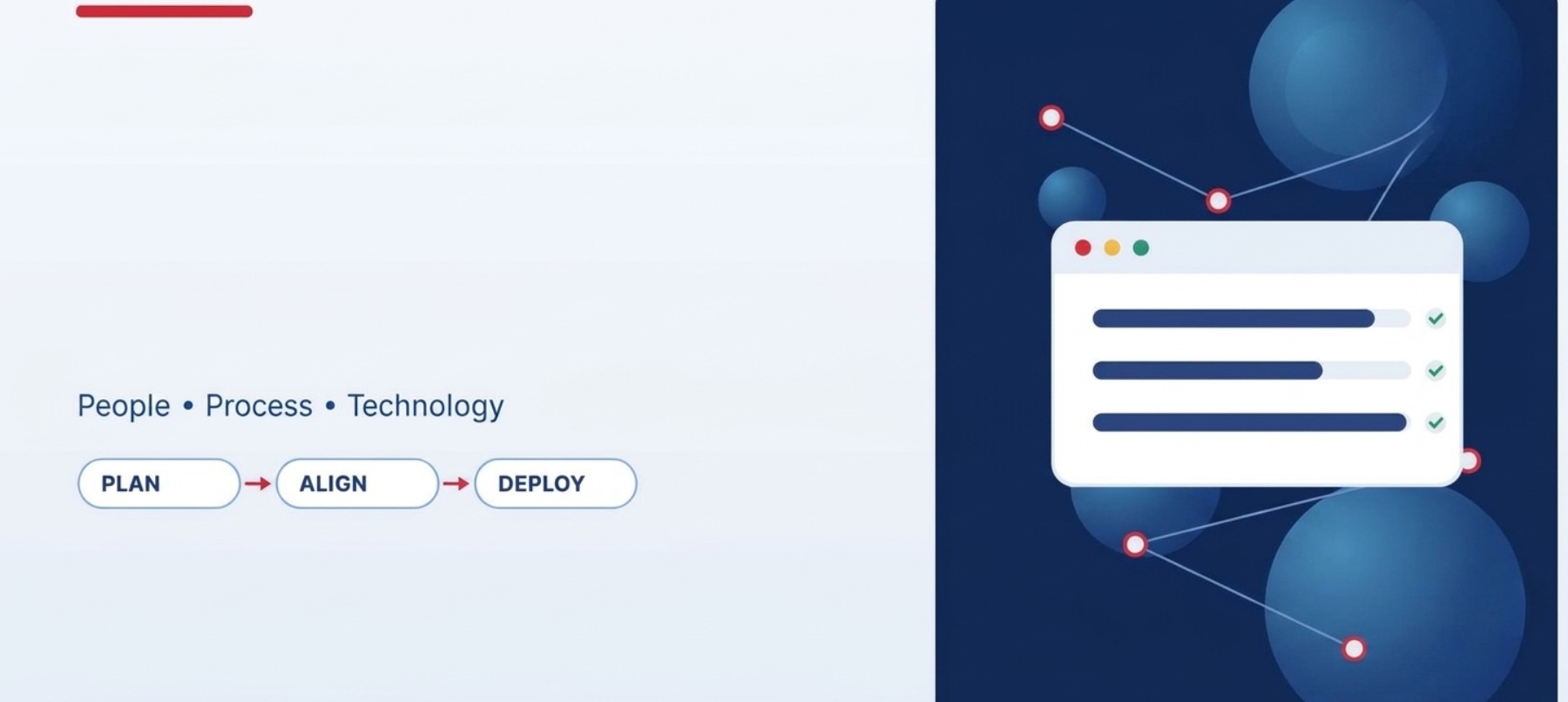
Enterprise software deployments affect far more than technology. A new ERP platform, CRM system, cloud application, or Microsoft business solution can change how employees complete daily tasks, share information, and make decisions. Without proper preparation, even a technically successful deployment can face low adoption, inconsistent processes, and frustrated users.
Change management frameworks enterprise software teams use provide a structured way to prepare employees, communicate changes, manage resistance, and measure adoption. The right framework helps you connect the technical implementation with the people who must use the new system.
For organizations implementing Microsoft Dynamics 365, Microsoft 365, Power Platform, or other enterprise applications, change management should begin during planning, not after the software goes live. Early preparation gives employees time to understand the reasons for the change and develop the skills needed to work confidently in the new environment.
Why Change Management Matters in Enterprise Software Deployments
Enterprise software often changes established routines across multiple departments. A finance team may need to follow new approval procedures, sales representatives may work from a shared CRM, and operations staff may need to enter information differently.
These changes can create uncertainty, especially when employees do not understand why existing processes are being replaced.
Common deployment challenges include:
- Employees continuing to use spreadsheets or older systems alongside the new platform.
- Incomplete training that leaves users unsure how to perform routine tasks.
- Department-level resistance when workflows change without sufficient consultation.
- Poor communication about implementation dates, responsibilities, and expected benefits.
- Productivity losses during the transition because employees need time to adjust.
A successful deployment addresses these concerns before they become serious operational problems. It combines technical preparation with clear communication, role-specific training, leadership support, and ongoing measurement.
1. ADKAR Model: Supporting Individual Adoption
The ADKAR model, developed by Prosci, focuses on five outcomes that help individuals move through change: Awareness, Desire, Knowledge, Ability, and Reinforcement.
It is useful when a software deployment requires employees to change their habits, responsibilities, or daily work processes.
How ADKAR Works
Awareness: Explain why the organization is introducing the new software. Employees should understand the business problem, such as duplicate data entry, limited reporting, or disconnected systems.
Desire: Help employees understand the benefits of participating in the change. Involve representatives from affected teams and address concerns about workload, job responsibilities, or unfamiliar technology.
Knowledge: Provide training that matches each employee’s role. A Dynamics 365 sales user needs different instruction from a finance manager or system administrator.
Ability: Give employees opportunities to practice using the platform in realistic scenarios. Sandbox environments, guided exercises, and supervised practice can help users build confidence.
Reinforcement: Continue support after launch through refresher sessions, feedback channels, usage reviews, and recognition of successful adoption.
When ADKAR Is Most Useful
ADKAR is especially valuable when adoption problems occur at the individual level. For example, a company might deploy a new customer relationship management system, but sales representatives continue maintaining separate customer spreadsheets.
Rather than assuming employees simply need more reminders, the project team can identify the missing ADKAR outcome. Employees may understand the reason for the change but lack the knowledge or practical ability to use the new system efficiently.
This distinction helps managers respond with targeted training or support instead of repeating the same announcement.
2. Kotter’s 8-Step Model: Building Organization-Wide Support
John Kotter’s 8-step change model focuses on mobilizing an organization around a major change. It can help when an enterprise deployment affects several departments, business units, or leadership teams.
The model includes creating urgency, building a guiding coalition, forming a vision, communicating that vision, removing obstacles, generating short-term wins, sustaining progress, and embedding the change into organizational practices.
Applying Kotter to Software Implementation
Start by explaining why the current environment needs to change. For example, outdated reporting tools may prevent leaders from accessing reliable operational information quickly.
Next, create a cross-functional leadership group that includes business owners, IT representatives, department managers, and employees who understand daily workflows.
The group should communicate a clear vision for the new platform. Instead of focusing only on technical features, explain how the software is expected to improve specific business activities.
Short-term wins can make the change more credible. A pilot team might demonstrate faster access to customer records or fewer manual steps in an approval process. Measure the result before presenting it as a confirmed improvement.
Finally, reinforce the new ways of working through updated procedures, management expectations, training resources, and ongoing performance reviews.
When to Use Kotter
Kotter is suitable for large deployments where executive sponsorship and cooperation between departments are essential. It can also help organizations that have experienced failed technology projects or face significant resistance to changing established processes.
The model provides a broad organizational direction, while individual adoption methods such as ADKAR can address the specific needs of employees.
3. Lewin’s Change Model: Preparing, Transitioning, and Stabilizing
Kurt Lewin’s change model organizes change into three stages: Unfreeze, Change, and Refreeze.
Its simple structure can help teams plan the transition from established practices to new software-supported processes.
Unfreeze: Prepare People for Change
Before implementation, examine the current working environment. Identify existing pain points, document important workflows, and explain why the organization is introducing a new system.
Employees should have an opportunity to raise concerns. Their feedback may reveal practical issues, such as missing reports, unclear approval responsibilities, or workflows that were overlooked during requirements gathering.
Change: Introduce the New System
During the transition, provide training, practical guidance, and access to support. Communicate which processes will change and where employees can find help.
A phased rollout or pilot may help reduce disruption, depending on the software architecture and business requirements.
Refreeze: Reinforce New Working Practices
After launch, update procedures, role descriptions, training materials, and internal documentation. Monitor whether employees are using the new system as intended.
The goal is not to prevent future improvements. It is to make the new working practices stable enough that employees do not immediately return to old habits.
When Lewin Is Most Useful
Lewin’s model works well for deployments with a clear transition from an established process to a new one. Its simplicity also makes it easy to explain to employees who are unfamiliar with formal change management.
For complex enterprise programs, teams may need additional methods for handling multiple releases, overlapping changes, and long-term adoption.
4. The People, Process, and Technology Approach
Enterprise software projects can fail when teams concentrate on technical delivery but overlook changes to responsibilities and business processes.
The People, Process, and Technology approach helps project leaders examine all three areas before and during deployment.
People
Identify the groups affected by the new platform. Consider their responsibilities, current skill levels, concerns, and training needs.
Appoint change champions from departments that will use the software. These employees can share practical feedback, explain changes to colleagues, and identify adoption problems early.
Process
Document how work happens today and how it should happen after implementation. Pay particular attention to approval steps, data ownership, reporting responsibilities, and handoffs between departments.
For a Dynamics 365 implementation, for example, the project team should agree on how customer records are created, updated, assigned, and reviewed before training users on the new workflow.
Technology
Confirm that the system supports the agreed business processes. Review integrations, permissions, data migration, reporting, and user access before launch.
Technical readiness and employee readiness should be tracked separately. A platform can pass testing while employees still lack the knowledge or confidence to use it properly.
This approach works alongside formal frameworks because it keeps the project focused on the practical changes employees will experience.
5. How to Choose the Right Change Management Framework
The best choice depends on the scale of the deployment, the number of affected employees, the level of resistance, and the complexity of the new processes.
When evaluating change management frameworks enterprise software teams can apply, consider the following questions.
How many people will be affected?
A department-level application rollout may require a focused adoption plan. A company-wide ERP deployment usually needs executive sponsorship, cross-functional coordination, and a broader communication strategy.
How much will daily work change?
If the software introduces new approval procedures, reporting responsibilities, or customer service workflows, employees may need more than a basic product demonstration.
Where is resistance likely to appear?
Consult employees and managers before finalizing the rollout plan. Resistance may reflect concerns about workload, a lack of trust, unclear benefits, or practical limitations in the proposed process.
How will adoption be measured?
Select indicators that reflect real business use. Login counts alone cannot establish whether employees are using the software correctly or achieving the expected outcomes.
What support will remain after launch?
Plan for questions, refresher training, system updates, and new employee onboarding. Change management continues after the implementation team completes its initial deployment activities.
For many organizations, combining frameworks is more useful than following one model rigidly. ADKAR can support individual readiness, Kotter can guide organization-wide leadership, and the People, Process, and Technology approach can keep implementation decisions grounded in operational needs.
6. Build a Practical Change Management Plan
A framework becomes useful when it guides specific project activities. The following steps help translate change management principles into a workable deployment plan.
Step 1: Assess Readiness
Identify affected departments, existing workflows, employee concerns, and skill gaps. Record the areas most likely to experience disruption.
Step 2: Define the Desired Outcomes
Set clear objectives for the software deployment. These might include improved data accuracy, reduced manual work, more consistent customer records, or better reporting access.
Avoid promising results before establishing a baseline and confirming how improvements will be measured.
Step 3: Map Stakeholders and Responsibilities
Identify executive sponsors, department managers, system owners, IT teams, and end users. Assign responsibility for communication, training, decisions, and issue resolution.
Step 4: Create a Communication Plan
Explain what is changing, why the change is necessary, when key milestones will occur, and how employees can receive assistance.
Use suitable channels for different groups. Managers may need implementation briefings, while end users may benefit more from short demonstrations and practical guides.
Step 5: Deliver Role-Based Training
Train employees on the tasks they actually perform. Use realistic examples and provide opportunities to practice before the system becomes essential to daily operations.
Step 6: Support the Go-Live Period
Make help available during the initial rollout. Monitor reported issues, identify repeated questions, and adjust training or instructions where necessary.
Step 7: Review Adoption and Improve
Assess results after launch and at regular intervals. Use employee feedback and operational data to identify where additional support is needed.
7. Measure Adoption Beyond Software Usage
Effective change management requires more than confirming that employees have received training or logged into the new system.
Choose indicators that reflect both user behavior and business outcomes.
Useful measures may include:
- Training readiness: Percentage of affected employees who complete the required training and practical exercises.
- Process compliance: Whether employees follow the agreed workflows in the new platform.
- Data quality: Frequency of incomplete, duplicated, or incorrect records.
- Support demand: Number and type of user issues reported after launch.
- Task completion: Time required to complete selected processes compared with a reliable pre-deployment baseline.
- User confidence: Feedback on whether employees can perform their responsibilities without repeated assistance.
Review these indicators together. A rise in support requests immediately after launch may be expected, while repeated errors several months later could indicate a need for process changes or additional training.
How Cambay Solutions Can Help
Cambay Solutions is a Microsoft Solutions Partner and directly works with Microsoft technologies and business IT services, making its service areas relevant to organizations planning enterprise software changes.
A deployment involving Microsoft Dynamics 365, Microsoft 365, Azure, or Power Platform can affect data access, established workflows, reporting, security, and employee responsibilities. These areas should be considered alongside the technical implementation.
A structured engagement can help an organization assess its requirements, review existing systems, identify integration and security considerations, and plan the transition to new working practices.
Before selecting a provider, ask how the project team will document current processes, involve business stakeholders, prepare role-based training, handle deployment issues, and measure adoption after launch.
Also clarify who owns each activity. Business leaders, technical teams, and end users all have a role in making a software deployment successful.
Frequently Asked Questions
What is a change management framework for enterprise software?
It is a structured approach to preparing employees, communicating changes, providing training, managing resistance, and supporting adoption when an organization introduces or replaces software.
Which change management model works best for software deployments?
ADKAR is useful for individual adoption, Kotter’s model supports organization-wide change, and Lewin’s model provides a simple transition structure. The right choice depends on the project and its people-related challenges.
When should change management begin?
Begin during project planning, before major design and rollout decisions are finalized. Early involvement gives employees time to provide feedback, prepare for new processes, and develop the required skills.
How can you measure software adoption?
Track indicators such as process compliance, data quality, training readiness, user confidence, support requests, and task completion. Compare results against a baseline where possible.
Why do enterprise software deployments face employee resistance?
Employees may be concerned about workload, unfamiliar tasks, job responsibilities, or whether the new platform will solve existing problems. Clear communication, practical training, and early involvement can help address these concerns.
Make Change Management Part of the Deployment Strategy
Successful enterprise software deployment requires both a functioning system and employees who understand how to use it. A suitable framework gives your team a way to prepare users, coordinate leadership, improve training, and respond to adoption challenges.
Choose an approach that matches the scale of the project, then turn it into clear responsibilities, practical activities, and measurable outcomes. With early planning and continued support, your organization can reduce avoidable disruption and give employees a stronger foundation for working with new enterprise software.