

 Dynamics 365 Business Central
27 min
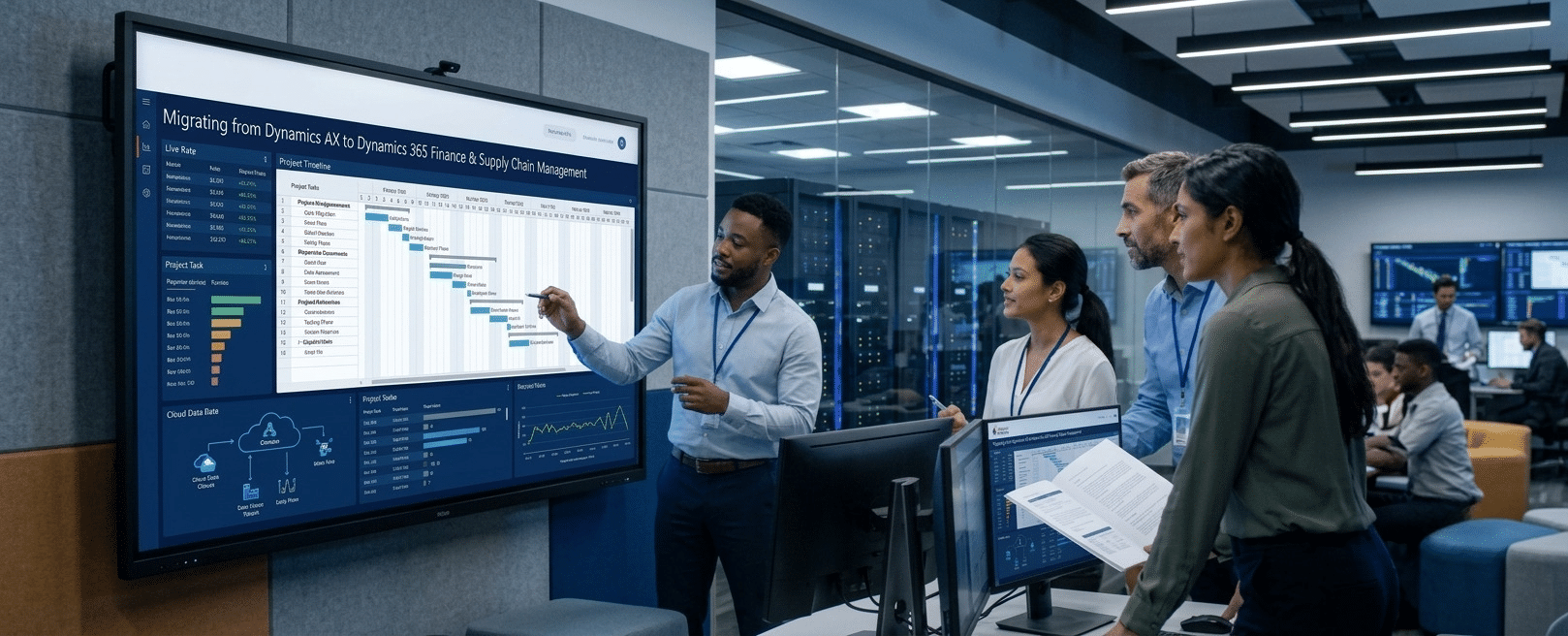
Enterprise resource planning systems play an important role in managing financial operations, inventory, procurement, and supply chain activities. As business requirements change, organizations using older ERP platforms may find it difficult to maintain performance, integrate new technologies, and support evolving operational needs. Dynamics AX to Dynamics 365 migration provides an opportunity to move from traditional ERP infrastructure to a modern cloud-based business management platform.
Dynamics 365 Finance and Dynamics 365 Supply Chain Management provide capabilities that help organizations manage financial processes, production, procurement, inventory, and broader business operations. However, moving from Dynamics AX requires careful preparation. Businesses need to evaluate existing systems, plan data migration, review customizations, and prepare employees for the transition.
Why Businesses Are Moving from Dynamics AX to Dynamics 365
Microsoft Dynamics AX has supported enterprise operations across industries for many years. However, older AX versions may present challenges related to infrastructure maintenance, system upgrades, customization management, and integration with newer business applications.
Dynamics 365 Finance and Supply Chain Management provide a modern application environment with regular updates, cloud deployment options, and improved integration capabilities.
The transition can help businesses improve financial visibility, manage inventory more effectively, and connect operational processes. Organizations can also take advantage of Microsoft Power Platform, Power BI, and other Microsoft services to support reporting and business automation.
For companies still relying on older ERP infrastructure, migration is an opportunity to reassess existing processes instead of simply transferring the same system configuration to a new platform.
Understanding Dynamics 365 Finance and Supply Chain Management
Before starting a migration, organizations should understand how the two applications support different business functions.
Dynamics 365 Finance focuses on financial management, budgeting, accounting, cash flow management, financial reporting, and regulatory requirements. It helps finance teams gain visibility into organizational performance and manage financial operations across business units.
Dynamics 365 Supply Chain Management supports procurement, inventory management, manufacturing, warehouse operations, production planning, and logistics. It helps businesses coordinate supply chain activities and improve operational visibility.
Together, these applications create an integrated ERP environment. Organizations can select the capabilities that align with their business requirements while planning how financial and operational processes will function within the new environment.
Key Steps in the Dynamics AX to Dynamics 365 Migration Process
- Assess the Existing Dynamics AX Environment
The first step is to understand the current ERP environment. Businesses should evaluate their Dynamics AX version, infrastructure, integrations, customizations, and business processes.
This assessment helps identify which existing capabilities are still required and which processes need improvement.
IT teams should also review third-party applications, reporting tools, historical records, and dependencies between different departments. Understanding these elements early reduces unexpected challenges during implementation.
- Define Migration Goals and Strategy
A successful migration begins with clearly defined business objectives. Some organizations may prioritize improved financial reporting, while others may focus on warehouse operations, inventory visibility, or manufacturing efficiency.
The migration strategy should establish the project scope, implementation approach, timeline, budget, and responsibilities.
Businesses must also decide whether to migrate all operations together or adopt a phased rollout. A phased approach can reduce disruption by moving selected business functions or locations in stages. The right strategy depends on system complexity, organizational readiness, and operational requirements.
- Review Customizations and Integrations
Many Dynamics AX environments contain years of custom development. However, transferring every customization into Dynamics 365 is not always necessary.
Organizations should review existing modifications and determine whether standard Dynamics 365 functionality can meet the same requirements. This can reduce development effort and make future updates easier to manage.
Integrations also require attention. Businesses should identify connections with CRM systems, payroll platforms, warehouse applications, reporting tools, and external services. These integrations must be evaluated and redesigned where necessary to work with the new ERP environment.
- Prepare and Migrate Business Data
Data migration is one of the most important parts of the transition. Existing ERP environments may contain financial transactions, customer information, supplier records, inventory details, product data, and historical reports.
Before transferring information, organizations should clean and validate their data. Duplicate records, outdated entries, inconsistent formats, and incomplete information can create problems in the new environment.
Microsoft provides data management capabilities to support importing and exporting information in Dynamics 365 Finance and Supply Chain Management.
Businesses should determine which historical records need to be migrated, which can be archived, and which information must remain accessible for reporting or regulatory purposes. A clearly defined data strategy helps maintain accuracy throughout the transition.
- Configure the New Dynamics 365 Environment
Once the migration strategy and data requirements are established, the new environment can be configured.
This includes setting up financial dimensions, legal entities, tax rules, procurement workflows, inventory parameters, warehouse processes, and security roles.
Configuration should reflect actual business requirements rather than reproduce every existing AX setting. Reviewing workflows during this stage gives organizations an opportunity to improve processes and remove unnecessary manual activities.
- Test the System Before Going Live
Testing helps confirm that the new ERP environment works as expected. Organizations should conduct functional testing, integration testing, data validation, and user acceptance testing.
Finance teams should verify accounting entries, financial reports, budgeting processes, and transaction accuracy. Supply chain teams should test purchasing, inventory movements, production processes, and warehouse operations.
Performance and security testing are also important, particularly for organizations with complex integrations or large transaction volumes.
Identified issues should be resolved before production deployment to reduce the possibility of operational disruption.
- Train Employees and Manage Change
Technology migration also affects employees who use the ERP system every day. New interfaces, workflows, and reporting processes may require changes to established working practices.
Organizations should provide role-based training for finance professionals, warehouse employees, procurement teams, production managers, and system administrators.
Training sessions, practical demonstrations, and user documentation can help employees become comfortable with the new environment. Involving key users throughout implementation also helps identify usability concerns before go-live.
- Plan Go-Live and Post-Migration Support
The go-live stage requires coordination between technical teams, business departments, and implementation partners.
Before deployment, organizations should confirm data accuracy, user access, integration readiness, backup arrangements, and business continuity procedures.
After going live, the system should be monitored closely. Support teams should track performance, resolve user issues, review integrations, and address configuration problems.
A structured post-migration support period helps businesses stabilize operations and gain greater value from their Dynamics 365 investment.
Common Challenges During Dynamics AX Migration
Although the transition offers several benefits, businesses may encounter challenges involving legacy customizations, data quality, integration dependencies, and employee adoption.
One common issue is attempting to transfer unnecessary custom functionality into the new environment. This can increase implementation complexity and future maintenance requirements.
Data inconsistencies can also affect reporting and operational accuracy. Similarly, insufficient testing may lead to problems with financial transactions, inventory balances, or connected applications after deployment.
Organizations can reduce these risks through detailed planning, stakeholder involvement, data validation, and phased testing. An experienced implementation partner can also help identify technical dependencies and establish a realistic migration roadmap.
How Cambay Solutions Supports Dynamics 365 Migration
Moving from Dynamics AX to a modern ERP platform requires knowledge of Microsoft business applications, data management, system integration, and organizational processes.
Cambay Solutions provides Microsoft Dynamics 365 consulting and implementation services to help businesses modernize their ERP environments. Its expertise across Dynamics 365 Finance, Supply Chain Management, Azure, and other Microsoft technologies can support organizations throughout their digital transformation initiatives.
From evaluating existing infrastructure to planning implementation and improving business processes, the right technical guidance helps organizations approach migration with greater clarity. Businesses can also benefit from reviewing their ERP requirements to identify opportunities for better financial management and supply chain operations.
Moving Toward a Modern ERP Environment
Moving from Dynamics AX is a significant step for organizations seeking to modernize financial operations, improve supply chain visibility, and establish a scalable cloud ERP foundation for future growth. A well-planned dynamics ax to dynamics 365 migration helps businesses address legacy system limitations while establishing an ERP environment that supports changing business requirements.
By assessing existing processes, preparing accurate data, reviewing customizations, and investing in employee training, organizations can reduce migration risks and improve adoption. With the right implementation strategy and ongoing support, Dynamics 365 Finance and Supply Chain Management can provide a strong foundation for managing enterprise operations.
Frequently Asked Questions
- Can Dynamics AX be migrated directly to Dynamics 365 Finance?
Migration is possible, but the approach depends on the existing AX version, customizations, data structure, and business requirements. A technical assessment is necessary before selecting the migration strategy.
- How long does a Dynamics AX to Dynamics 365 migration take?
The timeline depends on organizational size, data volume, integrations, customization requirements, and project scope. Smaller environments may require less time, while complex enterprise deployments can take several months or longer.
- Can existing Dynamics AX customizations be reused?
Some business logic and functionality may be redesigned for Dynamics 365, but older customizations generally require evaluation and redevelopment.
- What happens to historical data during migration?
Organizations can migrate selected historical information and archive older records based on reporting, operational, and regulatory requirements.
- What are the main benefits of moving to Dynamics 365 Finance and Supply Chain Management?
The transition can provide modern cloud capabilities, improved financial visibility, better supply chain management, integration with Microsoft services, and access to regular platform updates.