 Microsoft AI
13 min
Microsoft AI
13 min

Manufacturing hasn’t gotten any simpler in the last few years. Supply chains still break without warning, labor is harder to keep fully staffed, and customers expect delivery dates that used to be considered aggressive. Plants running on spreadsheets, disconnected legacy systems, or an ERP that hasn’t been updated since the Obama administration are feeling that pressure the hardest.
This is where Dynamics 365 Business Central ERP for manufacturing USA operations tends to come up in conversation – usually after a plant manager has spent another week reconciling inventory counts by hand or waiting on a report that should have taken minutes, not days. Business Central isn’t the only option on the market, but it’s built specifically to handle the kind of operational complexity mid-sized manufacturers deal with every day. Below is a plain look at what it actually does, module by module, without the sales-brochure language.
What Makes Business Central Different from a Generic ERP?
A lot of ERP platforms started life as accounting software and had manufacturing bolted on later. Business Central was designed with production, inventory, and finance living in the same data model from the start. That matters because a shop floor scheduling change shouldn’t require three separate systems to talk to each other before finance sees the impact on cost of goods.
For a plant running discrete manufacturing – assembling finished goods from components, or process manufacturing, where raw materials go through formulas and batches, Business Central adapts its core modules to fit either model rather than forcing one workflow onto both.
Which Core Modules Actually Matter on the Shop Floor?
Production Orders and Routings
Production orders track a job from planned, to firm planned, to released, to finished. Routings define the sequence of work centers a product passes through, along with expected run time and setup time at each step. Planners get a realistic view of capacity instead of guessing based on last month’s throughput.
Bill of Materials (BOM) Management
Multi-level BOMs let a plant build assembly out of sub-assemblies without losing visibility into what’s inside each layer. When a component price changes or a substitute part gets approved, the cost rollup updates automatically instead of requiring someone to manually recalculate margins.
Capacity Planning
Work centers and machine centers can be scheduled with finite or infinite capacity, so a scheduler can see where a bottleneck is forming before it delays an order. This is one of the features plant managers mention most often once they’ve used it for a few months – it replaces the whiteboard-and-gut-feeling approach a lot of shops still rely on.
Inventory and Warehouse Management
Bin-level tracking, lot and serial number traceability, and cycle counting are built in rather than tacked on as an add-on module. For plants dealing with FDA, automotive, or aerospace traceability requirements, this alone can be the deciding factor in a system selection.
Supply Planning
Demand forecasting combined with reorder points helps purchasing avoid the two worst outcomes: a line stopping because a component didn’t arrive, or a warehouse full of material tying up cash for no reason.

How Does Business Central Handle Costing?
Manufacturers care about actual cost more than almost any other detail in an ERP, because a small costing error compounds fast across thousands of units. Business Central supports standard, FIFO, LIFO, average, and specific costing methods, and it separates planned cost from actual cost so a plant can see variance in real time rather than a month-end close. That variance visibility is often what convinces a CFO to sign off on the switch, it turns cost accounting from a rear-view mirror into something closer to a dashboard.
Is It Actually Cloud-Based, or Just Hosted?
This question comes up constantly, and it’s a fair one given how loosely “cloud ERP” gets used in marketing materials. Business Central runs natively on Microsoft Azure, which means updates, security patching, and infrastructure scaling are handled by Microsoft rather than an internal IT team. Plants that have historically run Dynamics GP or Dynamics NAV on a server in a back office closet are usually the ones asking this question, and the honest answer is: yes, it’s genuinely cloud-native, not just a hosted version of an on-premise product.
Does It Connect to Machines and Shop Floor Data Collection?
Out of the box, Business Central handles the ERP side well but isn’t a machine-monitoring platform on its own. Most US plants pair it with a shop floor data collection add-on or IoT integration through Azure to pull real-time machine status, downtime reasons, and output counts directly into production orders. This is usually where a Microsoft partner earns their fee, configuring that integration correctly the first time saves months of cleanup later.
What About Reporting and Visibility for Plant Managers?
Business Central connects natively to Power BI, so dashboards for OEE, scrap rates, on-time delivery, and work-in-process value can pull live data instead of a static export someone updates once a week. For a plant manager who’s used to asking IT for a custom report and waiting two weeks, this shift alone changes how decisions get made day to day.
Frequently Asked Questions
Is Dynamics 365 Business Central suitable for small and mid-sized manufacturers, or only large plants?
It’s built primarily for small to mid-sized manufacturers, typically businesses that have outgrown QuickBooks or a basic accounting system but don’t need the scale (or budget) of a Tier 1 ERP like SAP.
Can Business Central handle both discrete and process manufacturing in the same instance?
Yes. The platform’s manufacturing module supports both models, though configuration and setup differ depending on which one a plant primarily uses.
How long does a typical implementation take for a US manufacturing plant?
Timelines vary by complexity, but a mid-market implementation commonly runs three to six months, factoring in data migration, user training, and testing.
Does Business Central require Microsoft 365 to function?
No, it operates independently, though it integrates tightly with Microsoft 365 apps like Excel, Outlook, and Teams if a plant already uses them.
What’s the difference between Business Central and Dynamics 365 Finance and Operations?
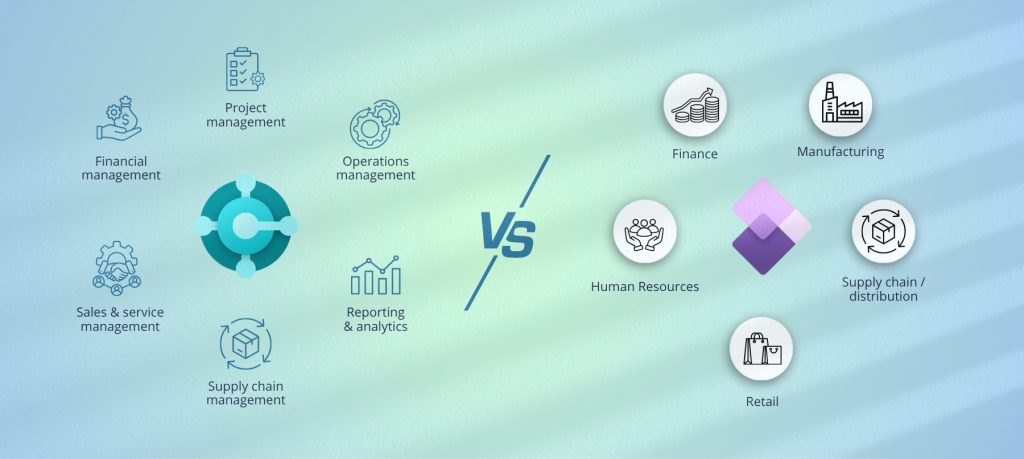
Business Central targets small to mid-market companies with simpler licensing and faster deployment, while Finance and Operations is built for larger, more complex enterprise environments.
Where This Leaves a Plant Considering a Switch
None of this means Business Central is the right fit for every manufacturer, a plant with highly specialized processes may need heavier customization, and that changes the cost and timeline conversation. But for a US manufacturer trying to get real-time visibility into production, inventory, and cost without taking on enterprise-level complexity, it’s worth a serious look at what a properly configured implementation could do for the plant floor.