Microsoft Solutions Partner · Legacy Dynamics Migration

Migrate from Dynamics GP, NAV or SL to Dynamics 365 Cloud

Microsoft has moved on from Dynamics GP, NAV, SL and on-premises AX — support windows are closing, and every year you wait is a year further from patches, security updates and new capability. Cambay moves you to Dynamics 365 Business Central or Finance & Supply Chain Management with a proven, low-risk methodology built specifically for legacy Dynamics customers.

Certified Microsoft Solutions Partner Full Data History Migration Available Phased, Low-Risk Cutover
Get a Migration Assessment
GP · NAV · SL · AX
Every Legacy Dynamics Product Covered
Phased
Cutover, Not a Weekend Big Bang
Fixed-Scope
Migration Assessment
GP → Business Central
Most Common Migration Path
NAV → Business Central
Direct Product Lineage
AX2012 → F&SCM
Enterprise-Scale Path
SL → Business Central
Modernize Project & Grant Accounting

Microsoft's End-of-Support Clock Is the Real Deadline

This isn't a "nice to have" cloud upgrade — it's a support-lifecycle problem. Dynamics GP, NAV, SL and on-premises AX are all past or approaching the end of Microsoft's support lifecycle, which means shrinking security patching, no new features, and — eventually — no support at all. Migrating now, on your own schedule, is a fundamentally lower-risk position than migrating later under pressure.

Legacy Dynamics Products & Recommended Cloud Path
Dynamics GP
Mainstream support ended*
Migrate to Business Central
Dynamics NAV
Mainstream support ended*
Migrate to Business Central
Dynamics SL
Mainstream support ended*
Migrate to Business Central
On-Premises AX2012
Extended support ending*
Migrate to Finance & Supply Chain Management

*Exact support end dates vary by product version and are set by Microsoft's official product lifecycle policy — Cambay confirms your specific version's current status as part of the migration assessment.

Migration Paths

Migration Paths by Legacy System

Your source system determines the target platform and the shape of the migration. Here's how each legacy Dynamics product maps forward.

Dynamics GP → Business Central

The most common legacy migration Cambay handles. Chart of accounts, vendors, customers, inventory and historical GL transactions move into Business Central with a mapped, tested conversion process.

Dynamics NAV → Business Central

Business Central is the direct cloud successor to NAV, sharing the same underlying data model — which typically makes this the most straightforward of the four migration paths.

Dynamics SL → Business Central

Project accounting, grant management and government-contracting customers on Dynamics SL move to Business Central with equivalent project costing and reporting capability, modernized for the cloud.

On-Premises AX2012 → F&SCM

AX2012 customers typically need the enterprise scale of Dynamics 365 Finance & Supply Chain Management rather than Business Central. For the full AX2012-to-F&SCM methodology, see our dedicated migration content on the F&SCM page.

See the AX2012 Migration Path
Cambay's Approach

Our Low-Risk Migration Methodology

The same phased, fit-gap-driven methodology Cambay uses across every Dynamics 365 migration — proven on Business Central and F&SCM engagements alike, applied here to legacy Dynamics source systems.

STEP 01

Fit-Gap Analysis

We map your current GP, NAV, SL or AX2012 configuration — customizations, workflows and reports — against Business Central or F&SCM to identify what transfers directly and what needs to be rebuilt.

STEP 02

Data Migration Templates & Cleansing

Standardized data migration templates map your chart of accounts, master data and transaction history into the target system, with a cleansing pass to catch legacy data-quality issues before they move over.

STEP 03

Phased, Parallel Cutover

Rather than a single high-risk cutover weekend, we run phased migrations with a parallel validation period — your team confirms the new system matches the old before the legacy platform is retired.

STEP 04

Post-Go-Live Validation & Support

Reconciliation of opening balances and historical reports against your legacy system, plus hands-on support through your first full close in the new platform.
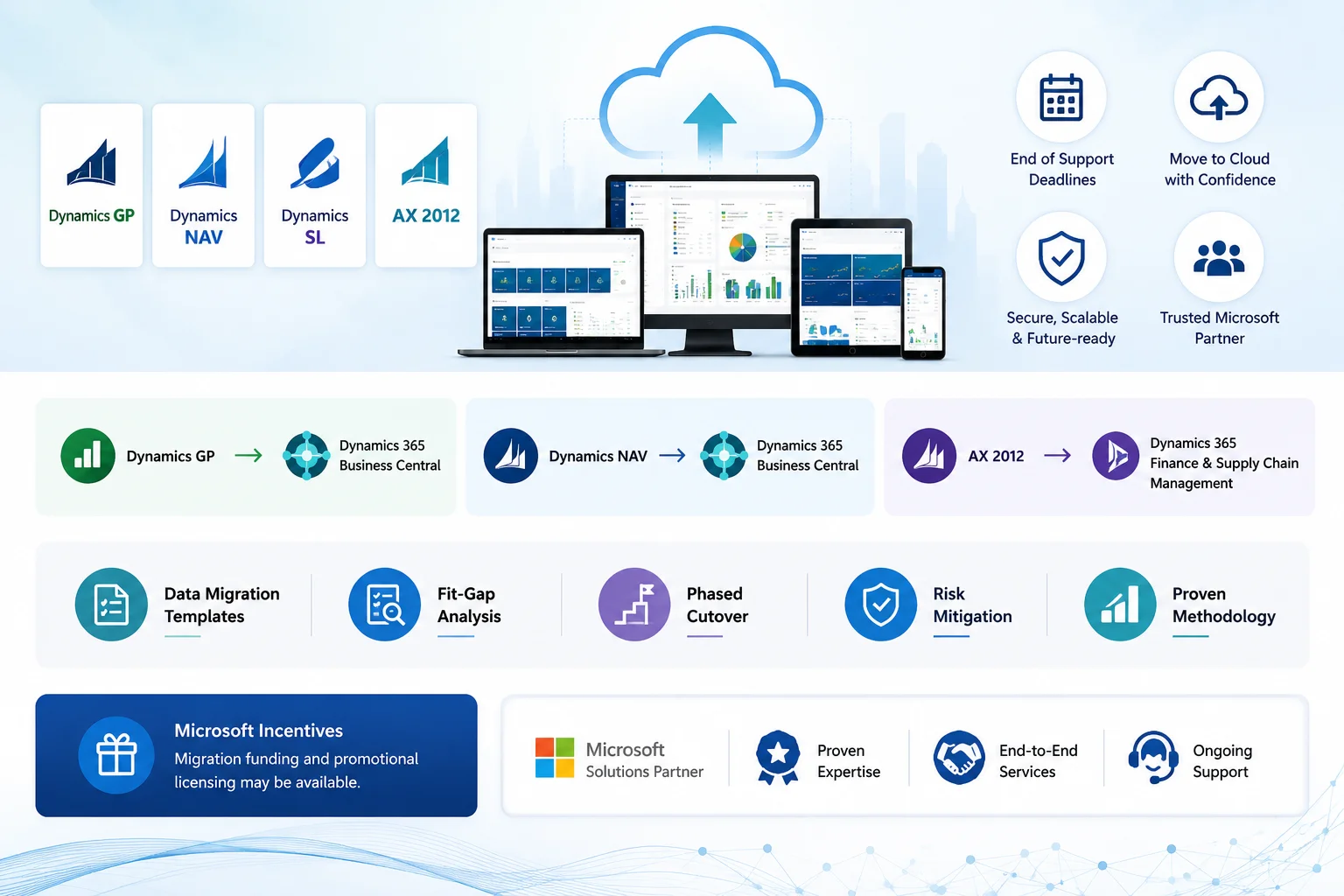
Legacy Dynamics data migration methodology
Commercial Incentives

Microsoft Migration Funding & Promotional Licensing

Microsoft periodically offers funding and promotional licensing to help legacy Dynamics customers move to the cloud. Programs and terms change — Cambay checks current eligibility as part of your migration assessment.

Migration Funding Programs

Microsoft has historically funded a portion of qualifying partner-led migration engagements for legacy Dynamics customers moving to Dynamics 365. Eligibility and funding amounts are confirmed at the time of your assessment.

Promotional Licensing

Existing legacy Dynamics customers with active support agreements are frequently eligible for discounted or bridge licensing when moving to Business Central or F&SCM, reducing the cost of running both systems during transition.

Time-Limited Availability

These programs are typically tied to Microsoft's fiscal quarters and end-of-support timelines — the earlier you start your assessment, the more likely current incentives are still available.

Business Value

Business Outcomes: What You Gain

Current

Back on a Supported Platform

Security patches, compliance updates and new capability again — instead of running on a version Microsoft no longer actively supports.

Full

Historical Data Retained

Years of transaction history and reporting data carried forward — nothing lost in the move, and no need to keep the old system running just to pull an old report.

Phased

Low-Risk Cutover

Parallel validation before legacy retirement means no single point of failure and no "hope it works" go-live weekend.

Fixed-Scope

Predictable Cost

A scoped migration assessment and fixed-scope project plan, so you know what the move costs before committing to it.

FAQ

Frequently Asked Questions About Legacy Dynamics Migration

Everything GP, NAV, SL and AX2012 customers ask before moving to Dynamics 365 cloud with Cambay.

Ask an Expert

Cambay's phased, parallel-run methodology is designed to minimize downtime rather than require a single disruptive cutover. Most clients run both systems briefly in parallel for validation, then switch over during a planned low-activity window — typically a weekend or month-end — rather than shutting down operations for an extended period.

Yes. Transaction history, master data and reporting data are migrated as part of the standard process — the amount of history you bring forward is a decision you make during the fit-gap analysis, not something you lose by default. Some clients choose to migrate several years of detail; others migrate current-year data and archive older history separately.

Timeline depends on data volume, customization complexity and which target platform you're moving to — Business Central migrations are typically faster than moves to Finance & Supply Chain Management. Cambay provides a firm timeline as part of the fixed-scope migration assessment, before any migration work begins.

The fit-gap analysis identifies every customization, custom report and integration in your current system and maps each one to an equivalent in Business Central or F&SCM — some transfer with configuration only, others need to be rebuilt using the target platform's tools. You get a clear list of which is which before migration work starts, not a surprise afterward.

It depends on your current support agreement, licensing status and Microsoft's current program terms, which change over time. Cambay checks your specific eligibility as part of the migration assessment and will tell you plainly if a program doesn't apply to your situation.

Also Explore

Related Microsoft Solutions

Business Applications

The full picture of Cambay's Integration & Migration services — including CRM and ERP migrations from Salesforce, HubSpot, SAP, Oracle and Sage.

Explore

Dynamics 365 Business Central

Where most GP, NAV and SL customers land — see the full cloud ERP platform beyond the migration itself.

Explore

Finance & Supply Chain Management

The enterprise-scale landing spot for AX2012 customers — full financials, supply chain and manufacturing at global scale.

Explore
Ready to Start?

Ready to Build Something That Actually Works?

Start the conversation today and unlock measurable growth with Microsoft technology.

🍪 We value your privacy

We use cookies to enhance your browsing experience, serve personalised ads or content, and analyse our traffic. By clicking "Accept All", you consent to our use of cookies.